What is a Roku TV? What you need to know about TVs with Roku built-in

Smart TVs are ubiquitous these days, and while Roku might be best known for its add-on streamers, quite a number of first- and third-party TVs have its platform built in. Here’s a rundown of what a Roku TV is, and how the tech stacks up against the competition.

What is a Roku TV?

roku smart tvs

Credit: Roku

Simply put, a Roku TV is a smart TV with Roku OS baked in — it’s the default interface for everything, whether you’re using streaming apps, watching cable broadcasts, or playing a console game. The company licenses its platform to other manufacturers, some examples being Onn, Sharp, RCA, and Hisense. More recently the company has launched some self-branded models in the form of the Select and Plus.

How Turning Off Bluetooth Can Safeguard Your Mobile from Cyber Attacks

In today’s interconnected world, our smartphones have become central to our lives. We rely on them for communication, navigation, entertainment, and even personal security. However, the convenience they offer comes with a price – the constant threat of cyberattacks. One often overlooked, yet significant, vulnerability in our smartphones is Bluetooth. By understanding the risks and taking simple precautions, you can enhance the security of your mobile device.

The Bluetooth Vulnerability

Bluetooth technology allows for wireless communication between devices over short distances. While this feature is incredibly handy for connecting wireless headphones, speakers, and other peripherals, it can also be exploited by malicious actors.

Bluejacking: This is a relatively harmless but intrusive form of cyberattack where someone sends unsolicited messages or files to your device. While not typically harmful, it can be annoying and may lead to your device’s battery drain.

Bluesnarfing: More serious than bluejacking, bluesnarfing is when cybercriminals access your mobile’s data, including contacts, emails, and messages, without your consent. This breach of privacy can have far-reaching consequences.

Blueborne Attack: This is one of the most critical Bluetooth vulnerabilities. It allows hackers to take control of your device completely. They can access data, install malware, and potentially turn your device into a part of a botnet.

How Turning Off Bluetooth Enhances Security

Disabling Bluetooth on your mobile device, when not in use, can significantly reduce the risk of these cyberattacks. Here’s how:

Preventing Unauthorized Access: Turning off Bluetooth eliminates the possibility of unauthorized connections. When your Bluetooth is off, it’s far more challenging for cyber-criminals to establish a connection with your device.

Avoiding Pairing Requests: Without Bluetooth enabled, you won’t receive any pairing requests from unknown devices. This ensures that you only connect with devices and peripherals that you trust.

Mitigating the Risk of Blueborne Attacks: Blueborne attacks are known to exploit vulnerabilities in Bluetooth connections. Disabling Bluetooth when you’re not actively using it eliminates this risk entirely.

Preserving Battery Life: Keeping Bluetooth on, even when not in use, can consume unnecessary battery life. By turning it off, you’ll extend your mobile’s battery life.

Best Practices for Bluetooth Security

While turning off Bluetooth is a straightforward and effective security measure, you can still enjoy the convenience of Bluetooth connectivity while keeping your device safe:

Use Bluetooth Wisely: Enable Bluetooth only when you need it, and turn it off when you’re finished.

Keep Your Device Updated: Ensure your mobile device’s operating system and apps are up-to-date. Manufacturers frequently release security patches that address known vulnerabilities.

Password Protection: Always secure your device with a strong, unique password or PIN. This provides an extra layer of protection if Bluetooth is inadvertently turned on or accessed by an attacker.

Be Cautious with Pairing: Only pair your device with trusted devices. Avoid connecting with unknown or unverified devices.

In conclusion, Bluetooth, while incredibly useful, can also be a gateway for cyberattacks on your mobile device. Turning off Bluetooth when you’re not actively using it is a simple and effective way to enhance your mobile device’s security. By following best practices and staying informed about potential risks, you can enjoy the convenience of Bluetooth without compromising your privacy and data security.

The post How Turning Off Bluetooth Can Safeguard Your Mobile from Cyber Attacks appeared first on Cybersecurity Insiders.

Trending cyber attack related news headlines on Google

IBM confirms Johnson & Johnson Data Breach with 631k affected

IBM has officially confirmed a data breach involving Johnson & Johnson, impacting approximately 631,000 individuals. This breach occurred on the servers of Johnson and Johnson’s patient medication platform. While the issue has been resolved, IBM is now facing two lawsuits for failing to safeguard its customers’ data.

The breach, initially identified by IBM in early September, is now detailed on the Department of Health and Human Services’ websites. Since this breach violated HIPAA guidelines, Johnson & Johnson may be subject to prosecution by regulatory authorities and possible penalties in the future.

The compromised information in this cyber incident includes names, contact details, dates of birth, health insurance data, and information related to medications and medical history provided through the Janssen CarePath application, a health service unit of Johnson & Johnson. Fortunately, sensitive data such as social security numbers and financial information were stored on separate servers and remained unaffected.

American TV ad agency hit by ransomware attack

In another cyber-related incident, Ampersand, a TV advertising and technology company jointly owned by Comcast Corporation, Charter Communications, and Cox Communications, disclosed a ransomware attack. Ampersand provides viewership information to marketing companies and has reported that the Black Basta ransomware gang successfully breached their servers and accessed sensitive data.

Recorded Future, a cybersecurity firm, has been tasked with investigating the attack and has confirmed the presence of ransomware on Ampersand’s servers.

Henry Schein hit by cyber attack and faces data breach concerns

Henry Schein, a prominent healthcare service provider in the United States, has fallen victim to a sophisticated digital attack. The company reported that some information belonging to its manufacturing and distribution customers and employees was accessed by unauthorized third parties. The extent and consequences of the breach are still under investigation.

Henry Schein has pledged to notify all affected individuals about the data breach and provide guidance on mitigating any associated risks stemming from the attack. Further details on these incidents are eagerly anticipated.

The post Trending cyber attack related news headlines on Google appeared first on Cybersecurity Insiders.

Pixel 7 series trade-in values have gone from bad to worse at the Google Store

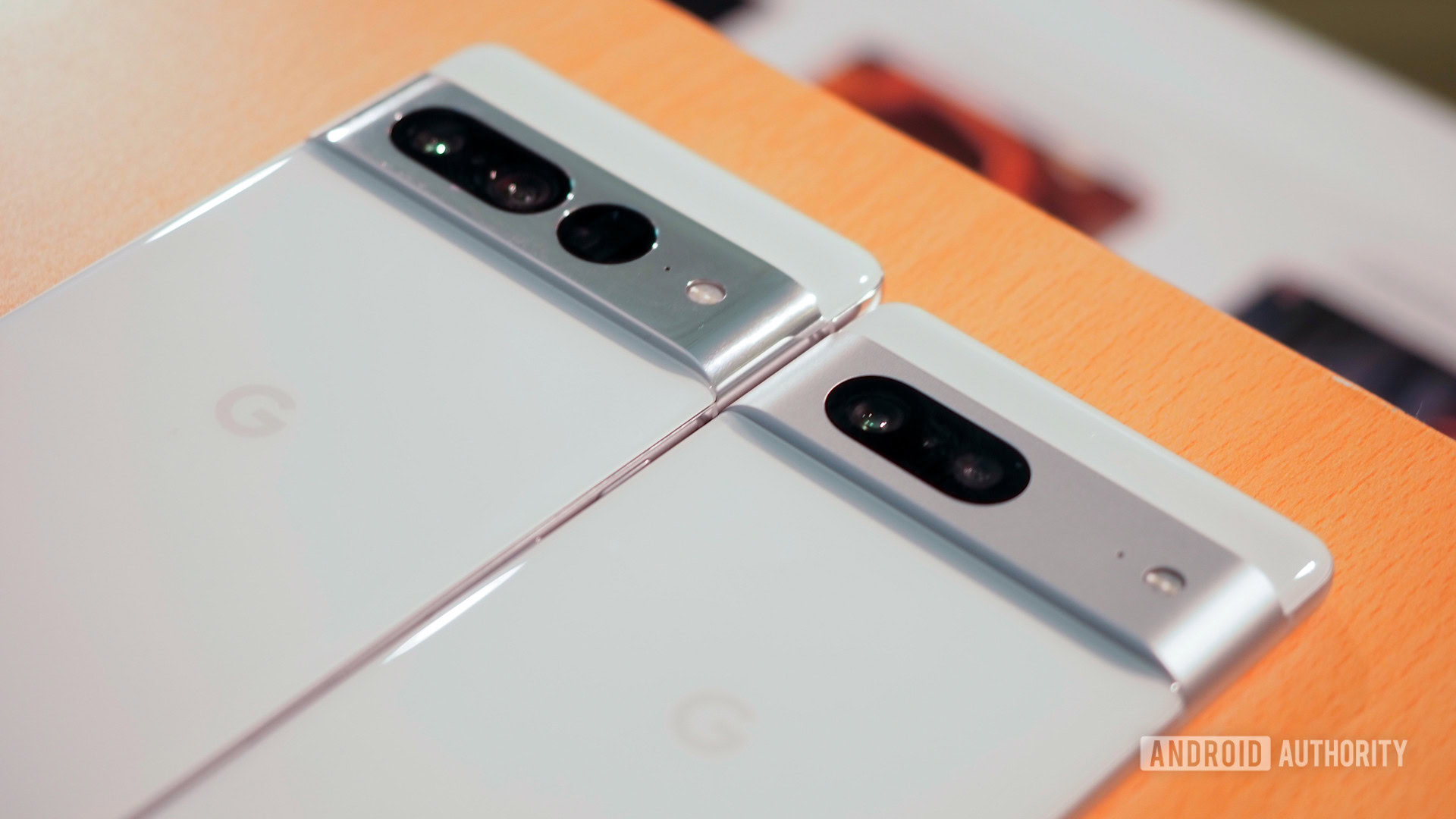
Google Pixel 7 Pro and Pixel 7 camera housings

Credit: Rita El Khoury / Android Authority
  • Pixel 7 series trade-in values have dropped significantly on the Google Store.
  • Google is now offering a measly $274 for the Pixel 7 Pro and $200 for the Pixel 7.
  • Previously, Google was giving a $420 trade-in for the Pixel 7 Pro and $325 for the standard model.

Google seems to be punishing Pixel 7 series owners for not pre-ordering the Pixel 8 series. If you’re a Pixel 7 or 7 Pro user and are only now looking to pick up a Pixel 8 series phone, you’re in for a not-so-pleasant surprise. Google has cut down the trade-in values of its 2022 flagships significantly than what it was offering during the Pixel 8 pre-order period.

X, formerly Twitter, announces $1/year Not-a-Bot plan for new users

X logo on smartphone stock photo (aka Twitter) (1)

Credit: Edgar Cervantes / Android Authority
  • X is starting to charge new users a fee of $1 to post on the platform.
  • The new Not-a-Bot subscription is first going live in New Zealand and the Philippines.
  • Existing X users won’t be affected by the new policy.

Elon Musk recently announced plans to charge all X (formerly Twitter) users a nominal fee to use the platform, and now, implementation is underway. X is testing a $1 per year subscription fee that will allow new users to post on the platform.

WhatsApp for Android enables passwordless logins with Passkeys support

WhatsApp logo on smartphone next to everyday accessories Stock photo 1

Credit: Edgar Cervantes / Android Authority
  • WhatsApp for Android now accepts Passkeys for login authentication.
  • You can now use your fingerprint, face, or PIN to unlock WhatsApp on Android.

WhatsApp for Android has adopted a new, more secure method for logging into the chat app. Android users can now unlock WhatsApp without a password by simply using one of their passkeys, like face, fingerprint, or PIN authentication.

Xiaomi is retiring MIUI after 13 long years and replacing it with a brand new OS

Xiaomi Hyper OS

Credit: Xiaomi
  • Xiaomi has announced a new Android-based operating system called HyperOS.
  • The new skin is designed to bring together features catering to Xiaomi’s ecosystem of products beyond just smartphones.
  • The Xiaomi 14 series will launch with the new OS onboard.

Xiaomi has announced a new operating system called HyperOS. The company has confirmed that it will be available globally and debut on the upcoming Xiaomi 14 series. HyperOS will also gradually replace Xiaomi’s legacy MIUI operating system, which has been around for 13 years.

The Pixel 8 series supports display output over USB-C despite what Google says

google pixel 8 pro bay blue in hand

Credit: Rita El Khoury / Android Authority
  • The Pixel 8 series supports DisplayPort functionality on a hardware level.
  • The feature is disabled in the phones’ software.
  • You can root the devices to enable display output over USB-C.

The Google Pixel 8 series is now confirmed to support DisplayPort Alternate Mode, also known as DP Alt Mode. That means the phones have a USB-C port capable of transferring DisplayPort signals and broadcasting video to external display devices over a USB-C connection. The findings were confirmed by Mishaal Rahman, who, with the help of a tester, shared a video showing a Pixel 8 Pro successfully connected to a display.

Should you buy a Pixel 8 or wait for the Pixel 8a?

The Google Pixel 8 was officially announced earlier this month. The Pixel 8 includes a new Tensor G3 processor, faster wired charging, a slightly improved camera, and the most impressive software update policy in the mobile world. Of course, it’s also a bit more expensive than previous Pixels. Should you get the new Pixel 8 or wait for the next budget Pixel? Let’s dive into everything we know about the Google Pixel 8 vs Pixel 8a to see if it’s worth spending the extra money.

Pixel 8 vs Pixel 8a: Performance and specs

The Google Pixel 8 and Pixel 8a are expected to share a lot of the same DNA, but there are certainly some differences. Please keep in mind that everything we know about the Google Pixel 8a is based on rumors and speculation.

The Pixel Buds Pro’ new conversation mode is a game changer

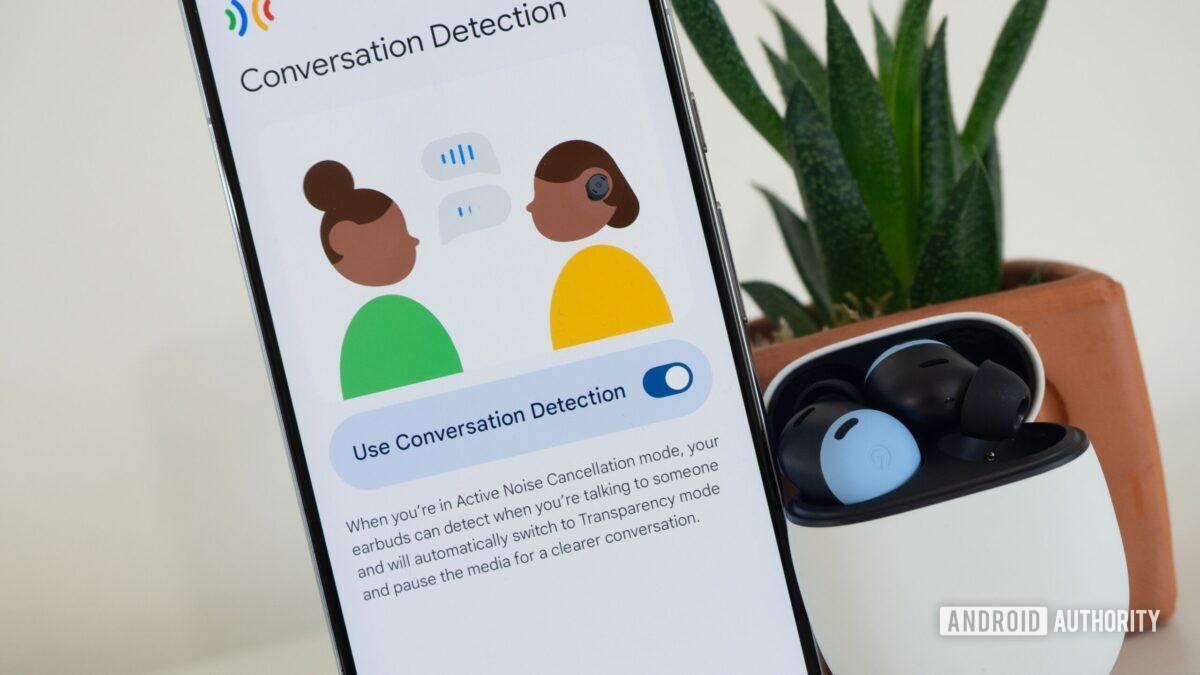
google pixel buds pro bay blue conversation detection 2

Credit: Rita El Khoury / Android Authority

Although I love activating noise cancelation on my true wireless buds to isolate my music, I often end up having to disable it or take the buds out of my ears to talk to people. It’s a decidedly first-world issue, but I’ve been annoyed enough by this, especially on my Pixel Buds Pro where my unruly curly hair makes touch controls quite inconvenient. Pushing the hair aside and then tapping and holding to turn off noise cancelation or switch into transparency mode isn’t seamless, and it always becomes a conversation disruptor.

But the Pixel Buds Pro got an update a couple of days ago that fixes this. Dubbed “Conversation Detection,” the new feature automatically pauses media playback and turns on transparency mode when you talk. Then it resumes playback and switches back to your previous noise cancelation or transparency setting when you’re done talking. Sounds good on paper, right? But how well does it work?

Beats Fit Pro vs Beats Studio Buds Plus: What’s the difference?

While Beats is probably most famous for its over-the-ear headphones, it’s still a force to be reckoned with in wireless earbuds, given the brand’s signature aesthetics, bass-heavy sound, and ample marketing help from Apple. But there are two leading earbud options, the Beats Fit Pro and the Beats Studio Buds Plus, and the one to go with may depend on your personal needs and platform of choice.

Beats Fit Pro vs Beats Studio Buds Plus: At a glance

OnePlus 12 rumors: Expected release date, price, specs, and what we know so far

OnePlus Logo on OnePlus 9 Pro

Credit: C. Scott Brown / Android Authority

Updated, October 13, 2023 (06:45 PM ET): We’ve updated this OnePlus 12 rumor hub with rumors of a higher price this time around.


Original article: OnePlus has thrown us a lot of curveballs over the past few years. Most recently, the company launched the OnePlus 11 and simultaneously announced it would not release a OnePlus 11T. It also will no longer make Pro models (which means no OnePlus 11 Pro is on the way). This was interesting when you remember that, in 2022, the company released a OnePlus 10 Pro and a OnePlus 10T and didn’t release a OnePlus 10! It’s all a bit wacky. Regardless, the OnePlus 12 is what we’re looking toward next, but what can we expect?

How to change your name on Facebook

If you have legally changed your name, want to alter a joke name you might have created, or have changed your last name, you might be wondering how to update it. Facebook has tried to tackle fake profiles by asking users to display their real names to avoid confusing others. This can be a bit of a bummer for those who prefer to keep their profile more private. If you’re among those individuals, we’ve explained a more straightforward and efficient solution to maintain your privacy in another article. In this guide, we’ll show you how to change your name on Facebook.

QUICK ANSWER

-- Get the right stuff from a partner you trust. --

Partners

-- IT NEWS --

Blog

admin December 11th, 2025

Credit: Edgar Cervantes / Android Authority TL;DR Spotify is getting a new “Prompted Playlist” feature to help users create more […]

admin December 11th, 2025

TL;DR Four of the best Good Lock modules aren’t working properly on the One UI 8.5 beta. Home Up and […]

admin December 10th, 2025

This is an open thread. We want to hear from you! Share your thoughts in the comments and vote in […]