This decade-old LG phone sparked my love for photography — then it died

It was a balmy September evening in 2016, and my friends and I thought it the perfect evening for a night-time hike up Cape Town’s popular Lion’s Head. Placed right in the city’s center, the panoramic views from the peak would no doubt be spectacular, and we had our bags packed full of liquid nourishment for when we reached the top. Two hours later, we got to the summit, and with the city’s sprawling lights glimmering through the still air below us, I spied the perfect photo opportunity. So, I grabbed my little Joby tripod, mounted my phone to it, set the exposure to 15 seconds, its ISO to its lowest possible value, and waited. The resultant shot remains one of my favorites I’ve ever captured. That phone was the LG G4.

I’m no doubt looking back at this phone through rose-tinted glasses. After all, nostalgia is one hell of a drug. The best Android phones have come a long way since then, improving almost every facet. I could (probably) capture that same shot with modern devices without too much fuss. However, looking past its problems, the LG G4 was the phone that sparked my interest in photography.

These are the niche features I wish Samsung Good Lock also let me customize

I think it’s safe to say that Samsung’s Good Lock is the most powerful customization toolkit in the Android ecosystem for those who want even more control over their One UI devices. Good Lock modules unlock the lock screen, tweak themes, and extend Routines far beyond their initial capabilities. It’s grown so much since its early days that I couldn’t imagine using a Samsung phone without it.

However, there are still several areas where Good Lock falls short. Existing modules leave these elements untouched and unchangeable, but this shouldn’t be the case. Here are five customization blind spots I’d like Samsung to address with Good Lock or through One UI directly in the future.

I tried Canva’s photo editor to see if it could replace my favorite free app

I’ve been using Canva for years, mostly for simple designs. So when I saw that Canva had rolled out a new photo editing tool, which is more advanced that the simple tweaks you can make in a design, I was interested in trying it out.

I stumbled across a useful feature that’s not in my favorite photo-editing app Snapseed, so I wondered if Canva could actually replace the free app’s place in my workflow. I tried out the Canva app’s new tool to see just how effective it would be at replacing Snapseed, and whether many of its features were locked behind a paywall.

Hot deal: Grab the CUKTECH 10 Power Bank for just $23.99!

Cuktech 10 Close Up

Credit: Paul Jones / Android Authority

Are you looking for a handy power bank to keep your devices charged on the go? I haven’t seen a deal this good in a while. The CUKTECH 10 Power Bank is still one of our favorites, portable battery packs, and you can buy it for a mere $23.99 right now! That’s a hefty discount on the $39.99 full price.

Buy the CUKTECH 10 Power Bank for just $23.99 ($16 off)

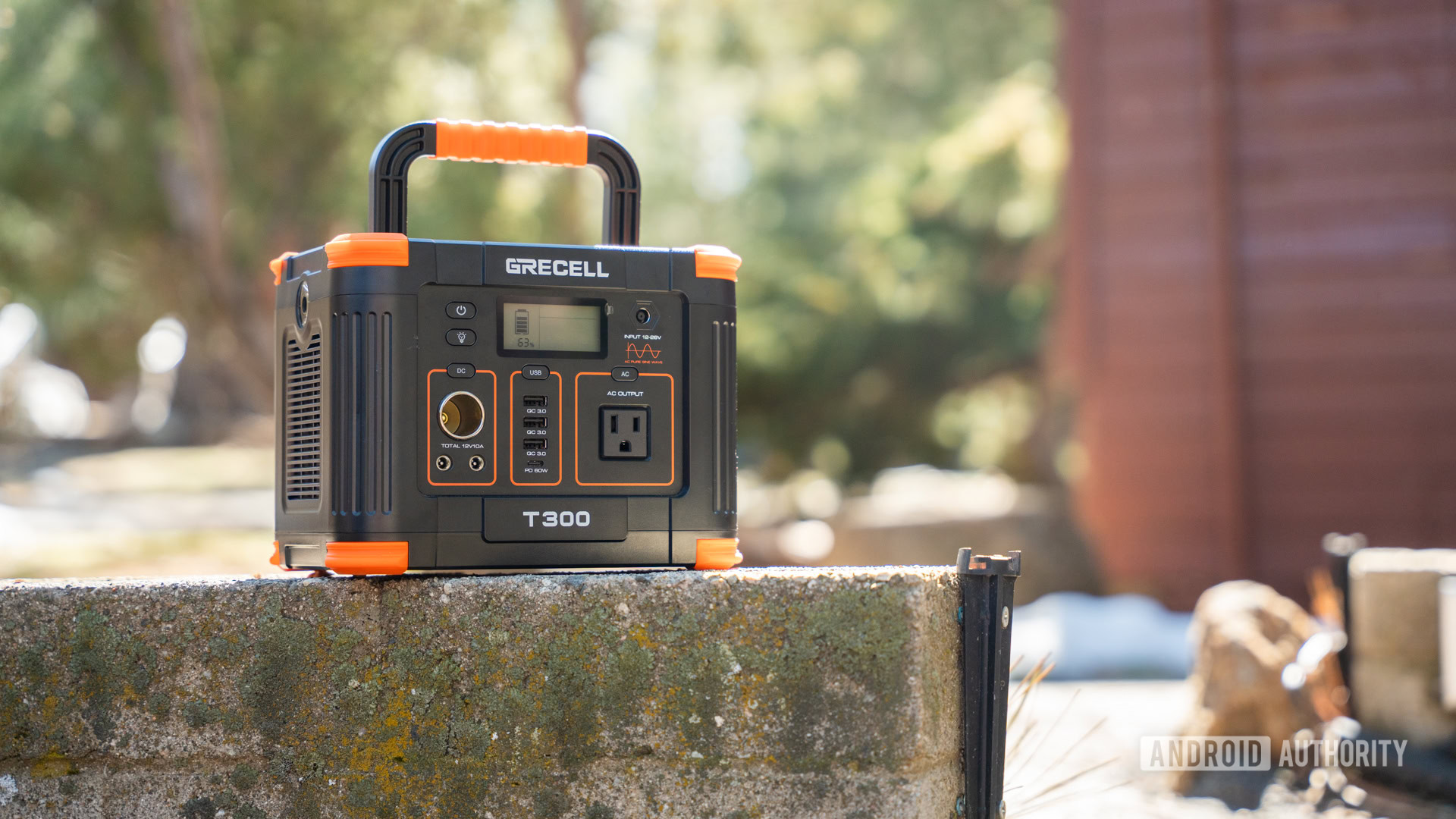
Power station deal: The GRECELL T300 is just $121.49 right now!

GRECELL T300 Power Station front 4

Credit: Edgar Cervantes / Android Authority

I got to test the GRECELL T300 Portable Power Station, and I must say it is one of my favorite options in terms of portability. It’s still pretty portable and easy to carry, but it offers much more power than your typical power banks. It’s also cheaper, especially today. You can take the GRECELL T300 home for just $121.49.

Buy the GRECELL T300 Portable Power Station for just $121.49 ($48.50 off)

Your Wear OS smartwatch will now warn you when an earthquake is about to happen

  • Google’s Android earthquake alerts are expanding from phones to Wear OS smartwatches, providing warnings about seismic activity directly on your wrist.
  • Rolling out with Google Play Services version 25.21, these wearable alerts will show the quake’s estimated magnitude and distance to the epicenter.
  • This is a crucial addition for smartwatch users, especially those with cellular models who may leave their phones behind but still need to receive timely warnings.

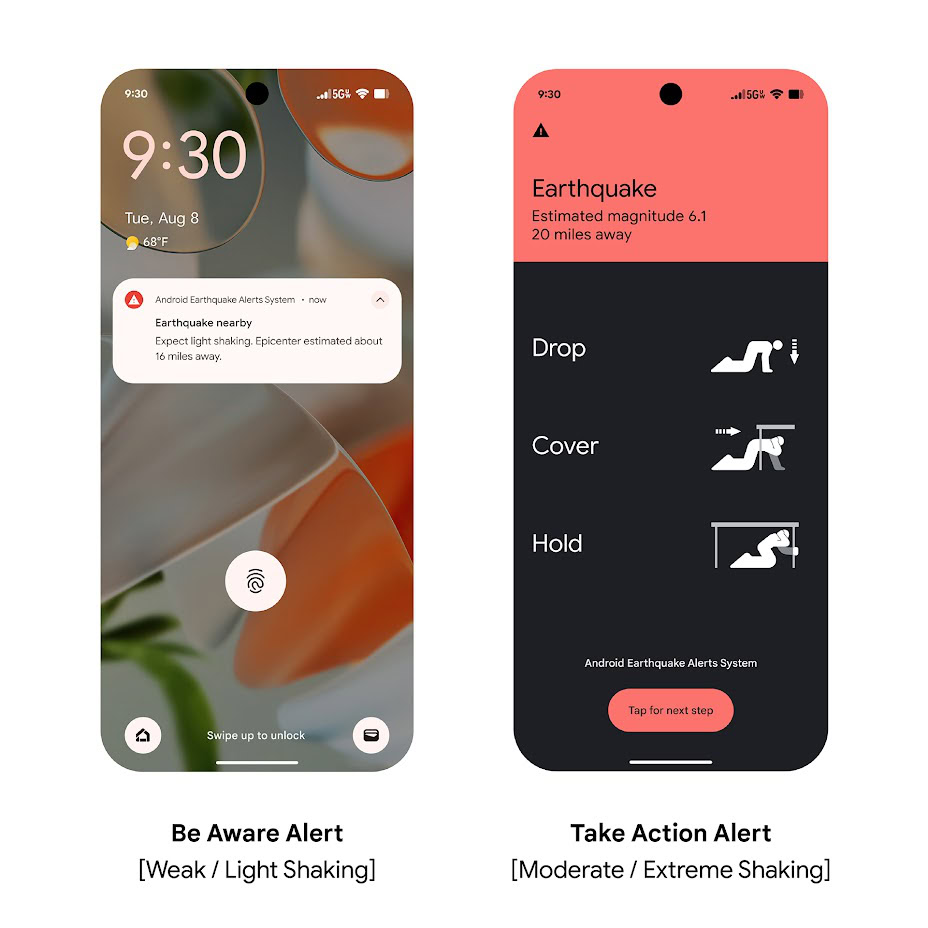
If you live in an earthquake-prone region, receiving alerts about potential seismic activity as soon as possible is critical. That’s why Google launched its Android earthquake alerts feature in 2020, which detects earthquakes by aggregating sensor data from millions of phones. When it detects a quake, Google sends a warning to your device with the estimated magnitude and distance to the epicenter. While these alerts are currently limited to phones, they appear to be coming to smartwatches soon.

Android Earthquake Alerts System

Android 16 QPR1 Beta 2 Wallpaper Studio offers a home for its best customization tools

  • Google’s been refreshing its Wallpapers & style app for Android 16 QPR1 with new features like Magic Portrait and theme support.
  • With QPR1 Beta 2 the company has started grouping together its wallpaper creation and editing tools under a new Wallpaper Studio banner.
  • This replaces the previous “suggested photos” view.

When you’re interested in customizing the look and feel of your Pixel phone, there’s probably nowhere better to start than Google’s own Wallpaper & style app. It already offered a ton of control over setting up both your lock screen and home screen, and it’s only been getting better as of late, thanks to some smart UI updates in QPR1 Beta 1. With this week’s release of QPR1 Beta 2 we’ve been digging around in search of everything new Google’s managed to cook up, and have identified some further improvements hitting Wallpaper & style.

In Android 16 QPR1 Beta 2, when you go to select a wallpaper in the Wallpaper & style app (or simply accessed through system settings) you’ll discover a new Wallpaper Studio section up top.

Your phone won’t be powering Xreal’s upcoming Android XR glasses

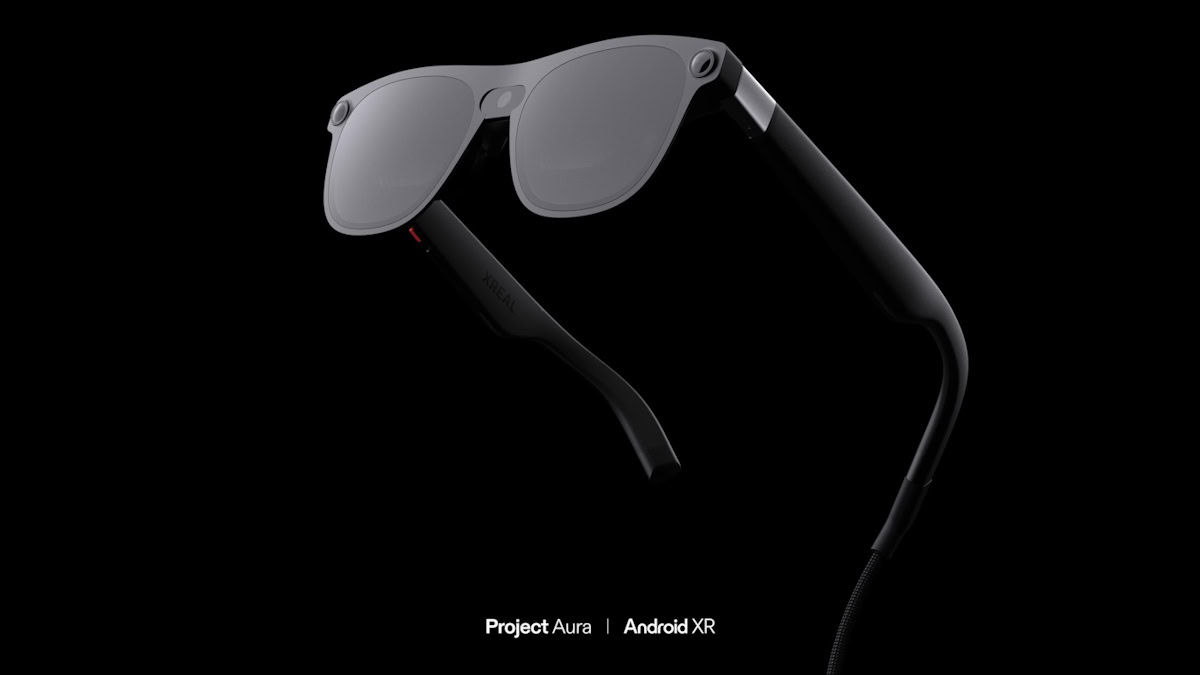
XREAL Project Aura Android XR device

  • Xreal’s Android XR glasses will come with a puck-like processing device.
  • The puck will feature an unspecified Qualcomm Snapdragon chip.
  • The glasses will have the largest screen the company has ever made.

There’s been plenty of talk about Google, Apple, and Meta all working on AR glasses, but they aren’t the only players in the game. Xreal is currently working on its own pair of AR glasses, known as Project Aura. Other than the fact that they’ll run on Android XR, not much is known about the device yet. However, Xreal shared a few new details this week.

The Xreal team made an appearance at Augmented World Expo 2025 on Tuesday. As reported by Gizmodo, the company didn’t release any new images or offer any demos, but it did reveal that your phone won’t be able to handle the kind of processing Aura demands. Instead of using a phone as a computing device, Aura will use a separate, tethered, puck-like device for its computational needs.

The latest Android 16 QPR1 beta finally organizes Android’s messy sound settings

  • Google is cleaning up Android’s “Sound & vibration” settings page in the upcoming Android 16 QPR1 update.
  • Instead of one long list, the new layout groups settings into distinct categories like “sound patterns” and “Audio.”
  • The volume sliders also get a modern design, while other options are relocated to make the page feel less cluttered.

After more than 16 years of development, the Android OS is packed with features. If they weren’t organized, navigating them would be a mess. For a long time, that’s exactly what Android’s sound settings page felt like, but Google is finally cleaning it up in the next quarterly release of Android 16.

After installing Android 16 QPR1 Beta 2 on our Pixel device, we noticed that the Settings > Sound & vibration menu has received a major cleanup. Instead of presenting every setting in a single vertical list, the latest Android 16 QPR1 beta separates them by category. For instance, the “phone ringtone,” “default notification sound,” and “default alarm sound” options are now grouped under a new “sound patterns” section. Meanwhile, the “Spatial Audio” and “Media” items are under a new “Audio” section. The five volume sliders remain at the top of the page, but they’ve been updated with the more modern Material 3 Expressive design seen in the volume panel. Furthermore, the “audio will play on” entry no longer sits awkwardly between the media and call volume sliders but has been moved to the very top.

Apple iPad deals: Save $100-$150 on these great tablets

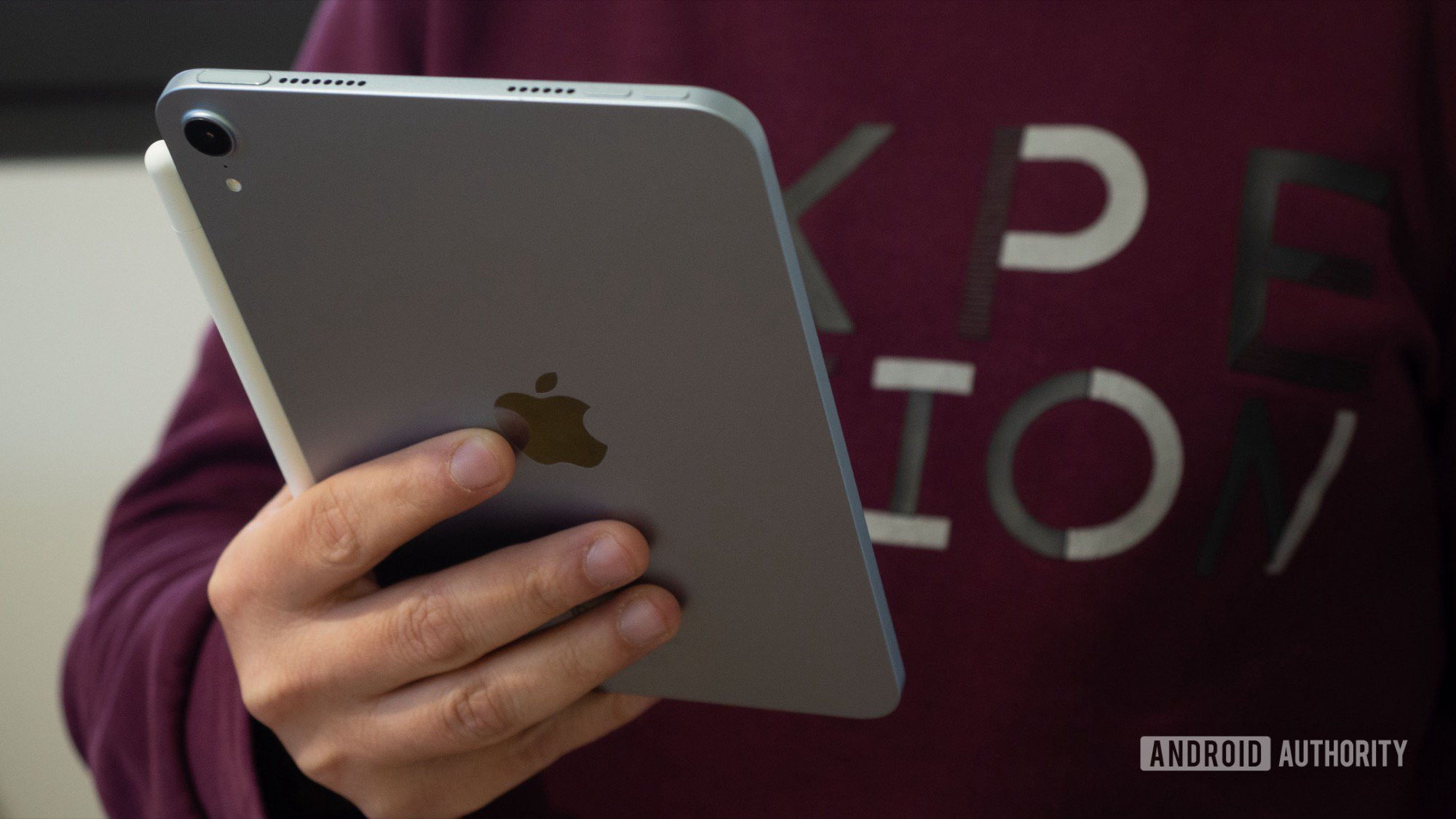
apple ipad mini 7 in hand

Credit: Rita El Khoury / Android Authority

While here at Android Authority, we live and breathe Google’s mobile OS, we try to stay objective and recognize when competing platforms do something better. In the current market, Apple iPads offer a better experience at a lower price, and they often go on sale. Let’s go over today’s deals together.

Buy the Apple iPad A16 for $299 ($50 off)

I found an Android weather app that looks like Google made it — only better

People were understandably upset when Google revamped its weather app and removed its lovable weather frog. Rain or shine, froggie was always ready to greet visitors looking for the day’s conditions. However, with the launch of the Pixel 9 and the introduction of Pixel Weather, the frog moved to the old weather interface accessed through Google Search. While that’s a suitable home, having to perform a search just to see the frog has become tiresome for many, including me. Thankfully, there’s a third-party app that can help.

Weather Master is an app I’ve grown to love over the past few weeks, and not just for its pro-frog stance. If I could redesign Pixel Weather, it would likely look like this. The app offers a perfect balance of clean aesthetics, playfulness, and useful information, creating a successful weather app experience. Unlike Pixel Weather, it makes efficient use of space without sacrificing these values. The use of Product Sans and Google’s design language throughout the app makes it feel like an official Android app, but it gets many things right that Google’s official app doesn’t.

How to watch Apple’s WWDC 2025 keynote address

  • Monday marks the start of Apple’s Worldwide Developers Conference.
  • Apple kicks things things off with its keynote announcement at 1pm ET.
  • The company is streaming the keynote on YouTube, and you can watch right here.

This Monday, June 9, Apple is getting set to make some of its biggest announcements of the year. We’re only a few weeks removed from Google’s own I/O 2025, and now Silicon Valley is getting ready for its next big platform event of the summer. Whether you’re an Apple die-hard, or just an Android stan who wants to stay on top of what the other side’s up to, tech fans everywhere are going to be interested in tuning in. Let’s check out how you can watch!

Apple’s Worldwide Developers Conference is a week-long event that runs June 9–13. And to kick things off in proper fashion, Apple will get things started with its keynote announcement at 1pm ET.

-- Get the right stuff from a partner you trust. --

Partners

-- IT NEWS --

Blog

admin December 19th, 2025

TL;DR Samsung has officially announced the Exynos 2600 processor, the world’s first smartphone SoC built on a 2nm GAA (Gate-All-Around) […]

admin December 18th, 2025

Credit: Edgar Cervantes / Android Authority TL;DR Google Home’s December 10 update adds one-tap transfer for Nest devices. You can […]