Samsung’s best gaming monitor is $900 off

Samsung Odyssey Ark 2nd Gen

Credit: Samsung

We’ve all seen that huge, curved gaming monitor at the Best Buy showfloor. Do we need it? Probably not, but we sure want it! I guess it does make for amazing multitasking. Regardless of your reasoning, if you’re going to scratch that itch, right now it’s a great time to do it. The Samsung Odyssey Ark 2nd Gen is $900 off right now, bringing the cost down to $1,799.99.

Buy the Samsung Odyssey Ark 2nd Gen for $1,799.99 ($900 off)

Samsung Galaxy Ring deal: Get a $100 gift card with your purchase!

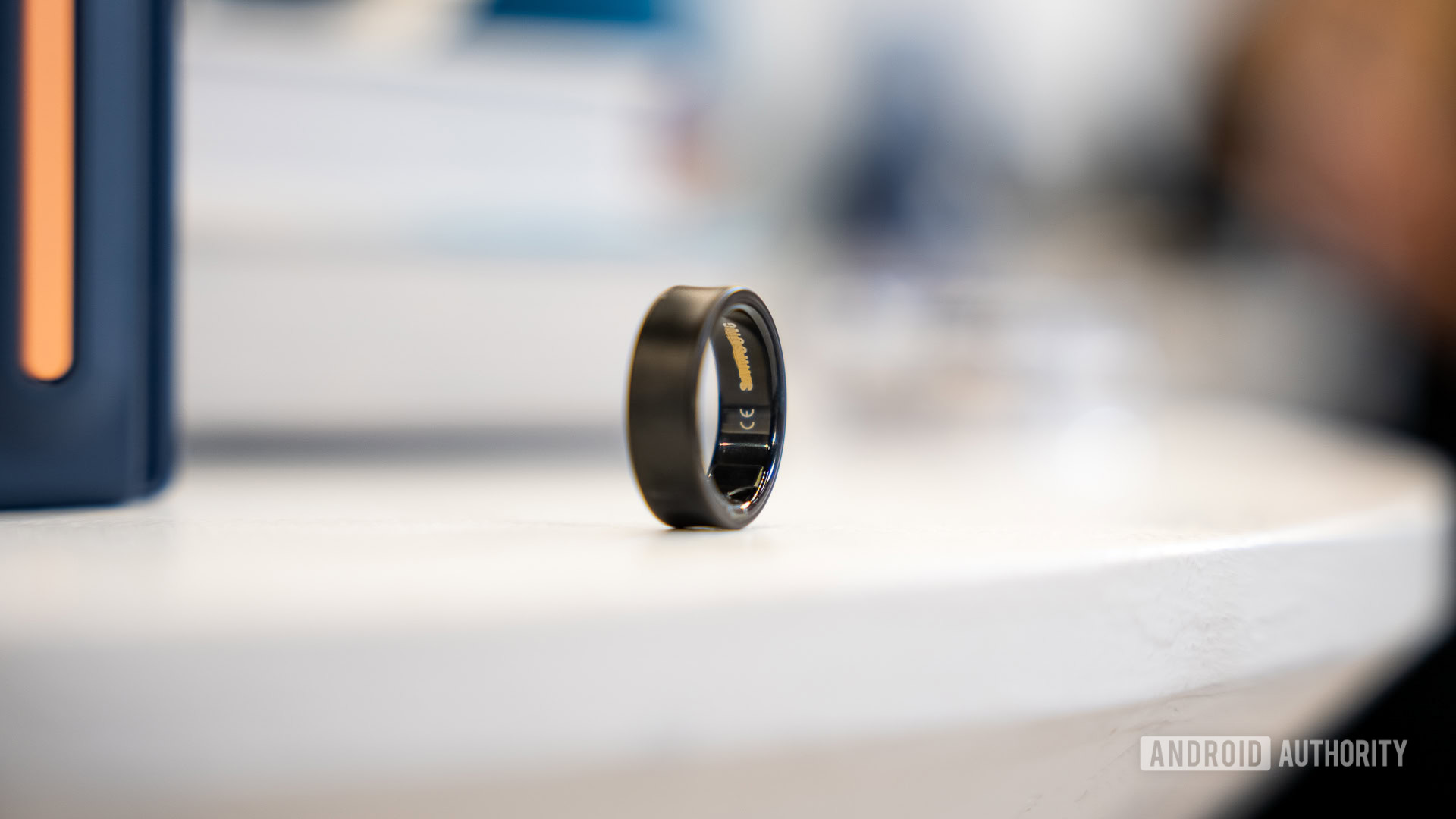
A Samsung Galaxy Ring in a Black Titanium finish rests on a table.

Credit: Lanh Nguyen / Android Authority

The Samsung Galaxy Ring is a pretty awesome wearable. In fact, it is likely the best smart ring out there, but boy, is it pricey! If you’re getting one, you might want to try to catch a good deal. Actual discounts are rare for this product, but here’s a little something that may help soften the blow. Right now, you can get a $100 gift card for free if you purchase a Samsung Galaxy Ring.

Buy the Samsung Galaxy Ring for $399.99 and get a free $100 gift card

Samsung confirms brand-new Gorilla Glass display protection for Galaxy S25 Edge

Samsung Galaxy S25 Edge front view

Galaxy S25 Edge
Credit: C. Scott Brown / Android Authority
  • Samsung has announced that the Galaxy S25 Edge will feature a brand-new Gorilla Glass protection developed in partnership with Corning.
  • Called “Gorilla Glass Ceramic 2,” the new material embeds crystals within a glass matrix to increase toughness, resist cracking, and maintain optical clarity.
  • It seems to have been specifically engineered for ultra-thin devices like the Galaxy S25 Edge.

Samsung’s latest flagship phone, the Galaxy S25 Edge, is set to launch next week on May 12, and the company is now officially teasing the device’s features ahead of the big reveal.

Google Messages begins rolling out “Delete for Everyone” feature

Google Messages SMS stock photo 9

Credit: Edgar Cervantes / Android Authority
  • Google Messages seems to have started rolling out the “Delete for Everyone” option in group chats for beta users.
  • The feature allows users to delete messages sent to everyone in the group.
  • It’s unclear if the feature is also headed to individual chats on Google Messages.

Google appears to be rolling out its long-awaited “Delete for Everyone” feature in Google Messages, allowing beta users to remove RCS (Rich Communication Services) chats from group conversations. This suggests a wider release for the feature could be right around the corner.

Spotify just dropped meaningful new features for both Premium and free users

Spotify stock photo 1

Credit: Edgar Cervantes / Android Authority
  • Spotify has rolled out new features for both Premium and free users.
  • Premium users get a revamped Queue, a more powerful Hide button, and a new 30-day Snooze feature.
  • Meanwhile, the Spotify app now surfaces new “Add,” “Sort,” and “Edit” tools at the top of playlists.
  • There’s also a new Create button for quick access to several features.

Spotify has just rolled out a series of meaningful updates aimed at giving users, both Premium and free, greater control over their listening experience. These updates, some of which are still experimental, enhance playlist management, track selection, and social collaboration.

Google improves the Gemini experience on the iPad with a native app

  • Google just launched a standalone iPad app for Gemini that brings a full-screen experience.
  • There was a Google Gemini app for iOS that launched in November 2024, but it was only designed for the iPhone and launched in letterboxed mode on iPad.
  • The Gemini iPad app has the same UI as the Gemini app on Android tablets and on the web.

It feels like Google’s Gemini is putting in a lot of work these days, and it’s not just on Android or the web either. Google launched a standalone Gemini app on iOS last November, which was recently updated to include lock screen widgets for iPhone users. Now, Google has given iPad users another nice surprise.

Google has updated the Gemini iOS app to include an optimized, full-screen iPad version. Previously, the Gemini app could technically work on an iPad, but since it was designed for the iPhone, it would appear in letterboxed mode with blank spaces around it. It also used the smaller iPhone keyboard, leading to a subpar experience.

The distinction between Data Privacy and Data Security

In today’s digital age, where vast amounts of personal and business information are shared and stored online, two terms often come up: data privacy and data security. While they are closely related and essential for protecting sensitive information, they refer to different aspects of information protection. Understanding the difference between them is key to ensuring that data is handled responsibly and safely.

What is Data Privacy?

Data privacy refers to the way personal information is collected, stored, shared, and used. It is concerned with the rights of individuals to control their personal data and the rules that govern the handling of this data by organizations. Data privacy ensures that individuals’ personal information is not misused or accessed without their consent.

It is about ensuring that personal data is collected for specific, legitimate purposes and is not used beyond what the individual has agreed to. For example, when signing up for an online service, a company may ask for your name, email address, and other details. Data privacy regulations (such as the GDPR in Europe or CCPA in California) ensure that companies are transparent about how this information will be used, stored, and protected.

Key elements of data privacy include:

•    Consent: Individuals must give explicit consent before their data is collected or shared.
•    Transparency: Organizations must clearly explain how they collect, use, and share personal data.
•    Access: Individuals should have access to their personal data and the ability to request corrections or deletions.
    Data Minimization: Only necessary information should be collected and retained for as long as needed.

What is Data Security?

Data security, on the other hand, focuses on protecting data from unauthorized access, breaches, theft, or corruption. It involves the tools, policies, and measures put in place to prevent malicious attacks, data breaches, or accidental loss of data. Data security ensures that data is kept safe from hackers, cybercriminals, and other threats that could compromise the confidentiality, integrity, and availability of the information.

While data privacy focuses on the appropriate use of personal data, data security is concerned with protecting data from harm or unauthorized access. It involves technical safeguards like encryption, firewalls, and secure access protocols to protect data both at rest and in transit.

Key elements of data security include:

•    Encryption: Encrypting data to make it unreadable to unauthorized parties.
•    Access Control: Implementing systems to restrict who can access sensitive data.
•    Firewalls and Antivirus Software: Tools that protect against cyberattacks and malware.
•    Regular Audits and Monitoring: Continuously monitoring systems to detect and prevent potential threats.

Key Differences Between Data Privacy and Data Security

While data privacy and data security are closely interconnected, they serve different purposes and have distinct focuses:

1.    Focus:
o    Data Privacy: Concerned with how personal data is collected, shared, and used, ensuring it aligns with the user’s preferences and rights.
o    Data Security: Focused on protecting data from unauthorized access, corruption, or loss, preventing threats and breaches.

2.    Scope:
o    Data Privacy: Involves legal frameworks, policies, and regulations that define how personal data should be handled (e.g., GDPR, CCPA).
o    Data Security: Involves technical measures like encryption, firewalls, and access controls to protect data from external and internal threats.

3.    Responsibility:
o    Data Privacy: The responsibility of organizations to ensure that individuals’ data is used fairly and with consent.
o    Data Security: The responsibility of organizations to implement appropriate safeguards to protect data from breaches and other threats.

4.    Regulation vs. Protection:
o    Data Privacy: Typically governed by privacy laws and regulations that dictate how data should be handled (e.g., privacy notices, consent forms).
o    Data Security: Governed by security standards and protocols aimed at safeguarding data infrastructure (e.g., encryption protocols, multi-factor authentication).

How They Work Together

Though data privacy and data security are distinct concepts, they are deeply interrelated. To maintain both, organizations must adopt a comprehensive approach that combines privacy policies with robust security practices. Without security, privacy cannot be guaranteed because sensitive data could be exposed to unauthorized parties. On the other hand, without privacy policies, even well-secured data could be misused or accessed beyond the scope of what individuals have agreed to.

For example, a company may implement strong encryption and access controls (data security), but if it fails to provide clear consent forms, explain how personal data will be used, or give users control over their information, it could still violate data privacy principles.

Real-World Example: Data Breaches and the Impact on Privacy and Security

A classic example of the intersection of data privacy and security can be seen in major data breaches. If a company suffers a security breach and hackers gain access to sensitive personal information (e.g., passwords, social security numbers, financial details), data security protocols have clearly failed. However, if that company doesn’t have clear privacy policies in place regarding how that data is stored or shared, it could also face privacy violations and legal consequences.

For instance, the 2017 Equifax breach exposed the personal information of 147 million people. Not only was data security compromised (the hackers gained access to sensitive information), but Equifax also faced severe privacy issues, as they had not taken appropriate measures to prevent unauthorized access to individuals’ data. This breach highlighted the importance of both data privacy and data security.

Conclusion

In summary, while data privacy and data security are related, they have different focuses. Data privacy is about protecting the rights of individuals over their personal data, ensuring transparency, consent, and control over how their data is used. Data security, on the other hand, is about safeguarding data from unauthorized access, breaches, and malicious attacks.

Both are critical in the modern digital landscape, and organizations must prioritize both to protect their customers and comply with legal regulations. Ensuring strong data privacy practices, alongside robust security measures, helps build trust, protect sensitive information, and avoid potential legal and financial repercussions.

The post The distinction between Data Privacy and Data Security first appeared on Cybersecurity Insiders.

The post The distinction between Data Privacy and Data Security appeared first on Cybersecurity Insiders.

NCSC issues alert against more ransomware attacks on retailers

In light of recent cyber attacks targeting major British businesses such as Harrods, Marks & Spencer, and Co-Op, the National Cyber Security Centre (NCSC), the cybersecurity division of GCHQ, has issued an urgent warning to UK firms. The warning highlights the increasing risk of ransomware attacks, particularly in the retail sector, and anticipates that similar attacks are likely to escalate in the coming days. In response, the NCSC has published a comprehensive set of guidelines to help businesses defend against these threats and minimize potential financial losses should an attack occur.

Anticipating More Cyber Attacks

As digital threats continue to evolve, the NCSC has expressed concern about the growing frequency and sophistication of ransomware attacks, which encrypt vital business data and hold it hostage in exchange for payment. The agency is especially focused on the retail sector, which remains a prime target due to its high volume of sensitive customer information and transactional data.

The NCSC advises businesses to take immediate and proactive measures to mitigate risks, emphasizing that preparation is key to ensuring business continuity and minimizing the impact of such attacks.

Key Guidelines to Protect Against Ransomware Attacks

The NCSC offers several crucial recommendations for retailers and businesses to better safeguard themselves against ransomware threats:

Isolate and Contain the Threat Quickly- The first line of defense during a ransomware attack is to sever any internet connectivity immediately. Disconnecting your systems from the web can prevent the malware from spreading further across your network. It is equally important to ensure that backup servers remain isolated and unaffected by the attack, so they can be used for disaster recovery.

Leverage Backup Systems for Recovery- Having reliable and secure backup systems is essential for recovering from a ransomware attack with minimal disruption. The NCSC strongly advises businesses to maintain up-to-date backups in a separate location, ensuring that the data remains unaffected by the attack. Quick recovery will help reduce downtime and financial loss.

Report the Incident to Authorities- As soon as an attack is detected, businesses should report the incident to the nearest police station. This ensures that law enforcement agencies are aware of the situation and can investigate further. Additionally, companies should consider hiring cybersecurity experts to help contain the attack and address the vulnerabilities that allowed the breach.

Do Not Pay the Ransom- The NCSC strongly discourages businesses from paying ransom demands. Paying cybercriminals not only funds illegal activity but also does not guarantee the safe return of encrypted data. In many cases, even after payment, the data remains inaccessible, or the perpetrators may demand more money. Engaging in such transactions only encourages further criminal behavior.

Notify Affected Parties Promptly- It is critical to keep affected individuals informed about the breach. The NCSC recommends that businesses notify impacted customers or employees within the time frame specified by the Federal Act on Data Protection (Article 24). This transparency helps build trust and ensures compliance with legal requirements surrounding data breaches.

Patch Vulnerabilities Immediately- One of the most significant risks businesses face is leaving unaddressed vulnerabilities in their systems. The NCSC stresses the importance of quickly identifying and patching any security gaps in software, hardware, or network infrastructure. If a vulnerability remains unresolved, there is a high probability that the same attackers may target the business again.

Train Employees to Recognize Phishing Attempts- Cybercriminals often use phishing as a primary means of infiltrating corporate networks. Phishing emails and messages can appear legitimate, making it easy for employees to unknowingly click on malicious links or download harmful attachments. The NCSC encourages businesses to train staff to recognize suspicious communications and adopt best practices for digital security.

Prevention is Better Than Cure

The key takeaway from the NCSC’s guidance is the importance of prevention. While it’s critical to have a disaster recovery plan in place, proactive security measures are far more effective than trying to recover from an attack after the damage has been done. Ensuring that systems are secure, employee training is up-to-date, and vulnerabilities are patched will go a long way in protecting against ransomware attacks and reducing the overall impact on your business.

By following the NCSC’s advice, UK businesses can strengthen their defenses and reduce the likelihood of becoming victims of cybercrime, safeguarding not just their financial interests, but their reputation as well.

The post NCSC issues alert against more ransomware attacks on retailers first appeared on Cybersecurity Insiders.

The post NCSC issues alert against more ransomware attacks on retailers appeared first on Cybersecurity Insiders.

PSA: You can still get a free $100 gift card with your Google Pixel 9a purchase!

Google Pixel 9a standing hero

Credit: Ryan Haines / Android Authority

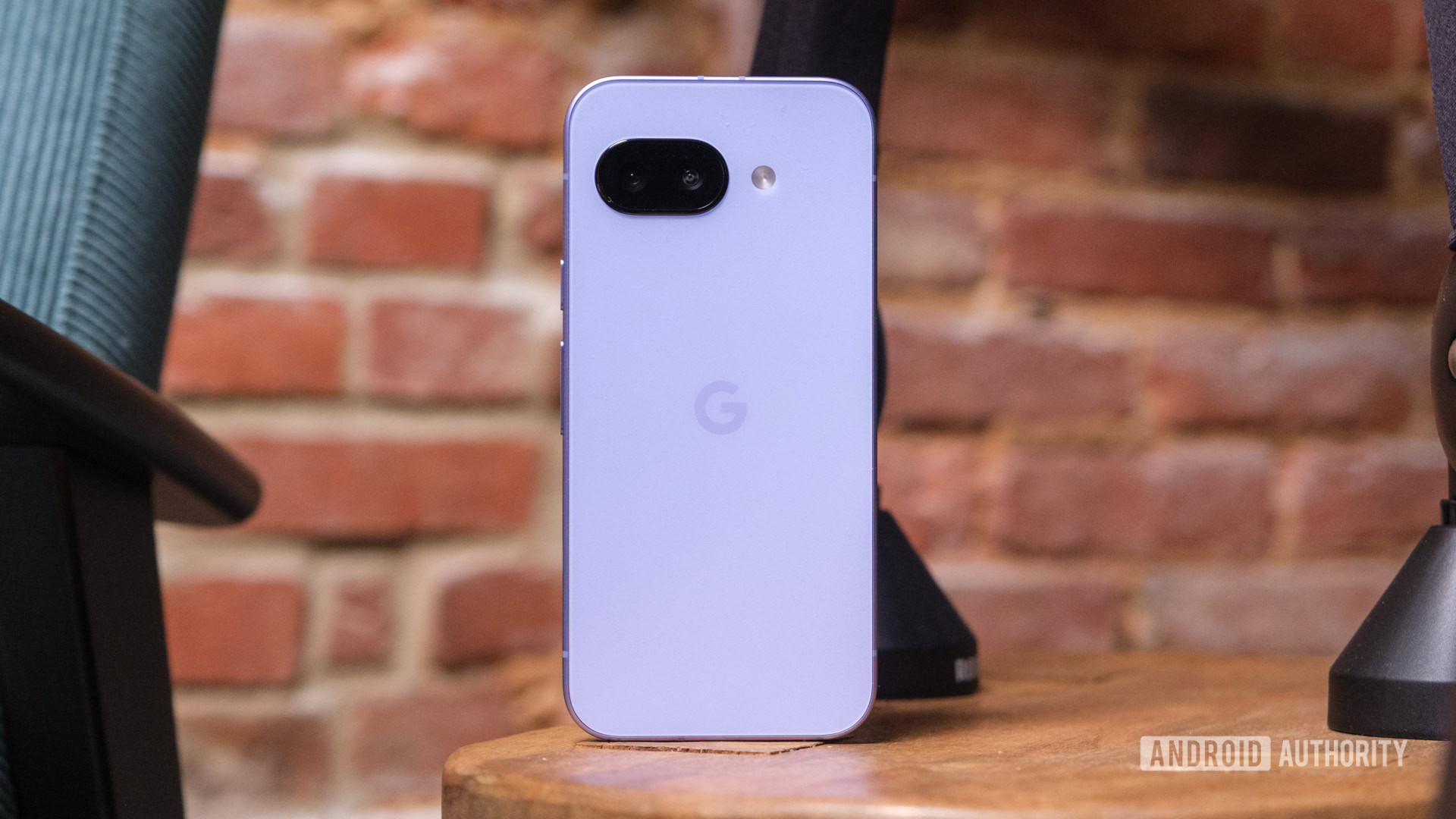
New devices don’t usually get actual discounts, but manufacturers and retailers find some nice ways to sweeten the deal. A common one is offering a free gift card with the purchase of a smartphone. The thing is that these offers are usually reserved for pre-orders, or end soon after a release. The Google Pixel 9a launched on April 10, nearly a month ago, but you can still get a free $100 gift card when you purchase it!

Buy the Google Pixel 9a and get a $100 gift card ($100 off)

These Anker and UGREEN power banks dropped to their all-time low prices!

Anker 548 Power Bank

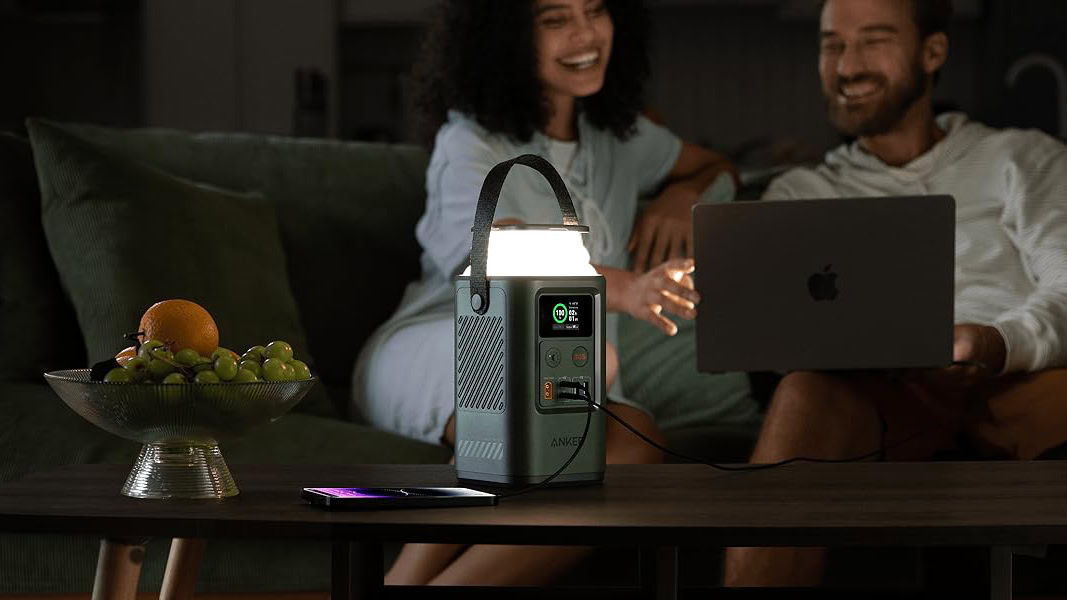
We’ve covered plenty of large, ultra-powerful power stations, but many of you want something much more portable. Today, we have a couple of deals from Anker and UGREEN. These are still very capable, and one of them might even fit in your pocket! They are both at record-low prices, so it’s the best time to get either of them.

Buy the Anker 548 Power Bank for just $89.99 ($60 off)

Samsung may be planning an unusual move for its next Galaxy Watch update

A Samsung Galaxy Watch 7 displays its App Library.

Credit: Ryan Haines / Android Authority
  • Samsung might skip over the One UI 7 Watch update and go straight to One UI 8 Watch.
  • The company is reportedly planning this to match its smartwatch software with that of its phones.
  • One UI 8 is expected to be released in beta form next month.
  • It’s unclear whether One UI 8 Watch will be based on Wear OS 6 or Wear OS 5.1.

Samsung just rolled out One UI 7, and naturally, Galaxy Watch owners have been expecting an upgrade too. Samsung is currently running One UI 6 Watch based on Wear OS 5 on its smartwatches, and One UI 7 Watch based on Wear OS 5.1 would have been the next step up. However, reports now indicate that Samsung may skip over this version entirely.

Google has entered showbiz to convince young people that Android is cool too

Google Campus logo

Credit: Ryan Haines / Android Authority
  • Google has set up a new film and TV production company called “100 Zeroes.”
  • The name of the production house is a subtle nod to Google’s own name.
  • The company aims to craft content that positions Android and Google’s products as cool, desirable, and aspirational to a younger audience.

Apple’s bold move of moving into Hollywood with its Apple Originals banner laid the groundwork for Apple TV Plus. Now, Google is planting its own flag in showbiz, but it’s taking a very different approach.

Motorola’s Playlist Studio just ruined Spotify’s algorithm for me

As a longtime Spotify user, there’s plenty that I love about the streaming giant. It knows my music tastes better than I do, and I start shared jams almost every time I hang out with my friends. Yet, I often find myself a little frustrated and somewhat bored by my carefully tuned algorithm — I like the songs it picks, and it knows I like those songs, so it just keeps picking the same ones.

But now, there’s an AI-powered solution on the table, and it comes from an unexpected place. Motorola just introduced the playlist generator I’ve been waiting for, and I think it just might get me to rethink my relationship with Spotify. Here’s why.

This Android phone company makes my new favorite iPhone accessory

One of the best perks of having an iPhone is the sheer amount of available accessories. Much as Android fans may not like to admit it, finding the perfect case, screen protector, charging dock, etc., for an iPhone is significantly easier than doing the same for a Samsung Galaxy or Google Pixel. That point became even more apparent when Apple added MagSafe to the iPhone in 2020 — opening up a whole new world of magnetic accessories that Android phones have had to sit out on.

I have a fair share of MagSafe accessories I use daily with my iPhone 16. There’s an AUKEY charging dock on my nightstand that I put my iPhone on every night before bed. I also use Peak Design’s MagSafe wallet as my go-to wallet of choice. It’s slim, houses all the cards I need, and conveniently sticks on the back of my iPhone when I’m out and about.

-- Get the right stuff from a partner you trust. --

Partners

-- IT NEWS --

Blog

admin December 11th, 2025

Credit: Edgar Cervantes / Android Authority TL;DR Spotify is getting a new “Prompted Playlist” feature to help users create more […]

admin December 11th, 2025

TL;DR Four of the best Good Lock modules aren’t working properly on the One UI 8.5 beta. Home Up and […]

admin December 10th, 2025

This is an open thread. We want to hear from you! Share your thoughts in the comments and vote in […]