Something is bricking Nest Hub smart displays, but a fix is on the way (Updated)

  • Owners of the first-gen Nest Hub report recent device failures, freezing up during the boot process.
  • Attempts to factory reset the hardware have not been successful at restoring operation.
  • It’s possible a recent firmware update may play a role, but Google has yet to confirm anything.

Update, May 16, 2025 (09:41 PM ET): We’ve heard back from Google, and the company confirms that it’s aware of these reports, and has a fix rolling out.

Google’s solution is scheduled to hit all Nest Hub units by sometime early next week. If you’re still experiencing an issue like the one we describe here after that, Google asks that you follow up in its support thread to let the company know.

Google’s glorious G glow-up spreads its rainbow across Android

  • Google is updating its multi-colored G logo for the first time in a decade.
  • After first appearing on iOS and in beta on Android, the new G has now hit the stable release of the Google app.
  • Rather than using four distinct colors, the new G features a smoothly changing rainbow gradient.

A little bit of branding can convey a whole lot, so big companies are understandably very cautious about any attempt to change how they’re represented. Have you gotten used yet to saying “Meta” instead of Facebook? Google’s been going with a rainbow-colored logo since basically day one, and back in 2015 we saw the company bring that same kind of palette to its blue “g” logo, swapping lower- for upper-case and adopting a segmented, four-color look.

Earlier this week, we were tipped off to the first revision of that G logo in the decade since, replacing the distinct shades of red, yellow, green, and blue that build up the letter with a smoothly transitioning rainbow gradient.

One UI 7 adds new controls to a feature that hasn’t changed since One UI 3

The Samsung Galaxy S25 Ultra, showing its home screen.

Credit: Joe Maring / Android Authority

Most smartphones come with a power-saving mode that, when enabled, tweaks system settings to reduce battery usage and help the device last longer in a crunch. Turning on battery saver or low power mode usually limits background app activity and syncing, delays or stops app updates and notifications from non-essential apps, lowers screen brightness, disables location services, and more. On most Android phones, all of this happens with a single toggle. While brands like Google, OnePlus, and Xiaomi offer some amount of control over power-saving options, Samsung does things very differently, with more granular controls compared to any other Android phone maker.

YouTube intros new top-podcast chart, letting you see exactly who’s influencing America

  • YouTube is introducing a Weekly Podcast Shows chart, highlighting the top 100 in the US.
  • Listings will be updated each Wednesday.
  • For now this is US-only, but Google wants to expand to additional regions.

Considering that the iPod has long found itself replaced by more capable smartphones, it’s legitimately impressive that podcasts have managed to stick around as a beloved media format. Sure, we’ve seen many evolve from audio to video-first formats, but the core idea of being able to listen to an on-demand conversation between talented hosts and their guests is one that’s proven its worth. With podcasts as big as they are today, it’s only understandable that listeners crave tools for helping them discover their next new podcast obsession, and this week Google’s got a new one debuting on YouTube.

YouTube is introducing its new Weekly Podcast Shows chart. The inaugural list covers May 5 through May 11, and sorts out the top 100 podcasts available on the platform, based on their popularity among US audiences.

YouTube’s newest ad strategy is to ruin the best part of a video on purpose

YouTube on smartphone stock photo 15

Credit: Edgar Cervantes / Android Authority
  • YouTube has introduced a new ad format that places ads right where something exciting happens in a video.
  • These new types of ads are called “Peak Points” and use AI to identify the “peak” moments in a video.

YouTube is always cooking up new ways to show you ads. Be it skippable ads, non-skippable ads, mid-rolls, or bumpers, the goal, as always, is to find more places to make more money. And now, thanks to AI, YouTube has found a brand-new spot to squeeze in ads — right when something exciting happens in a video.

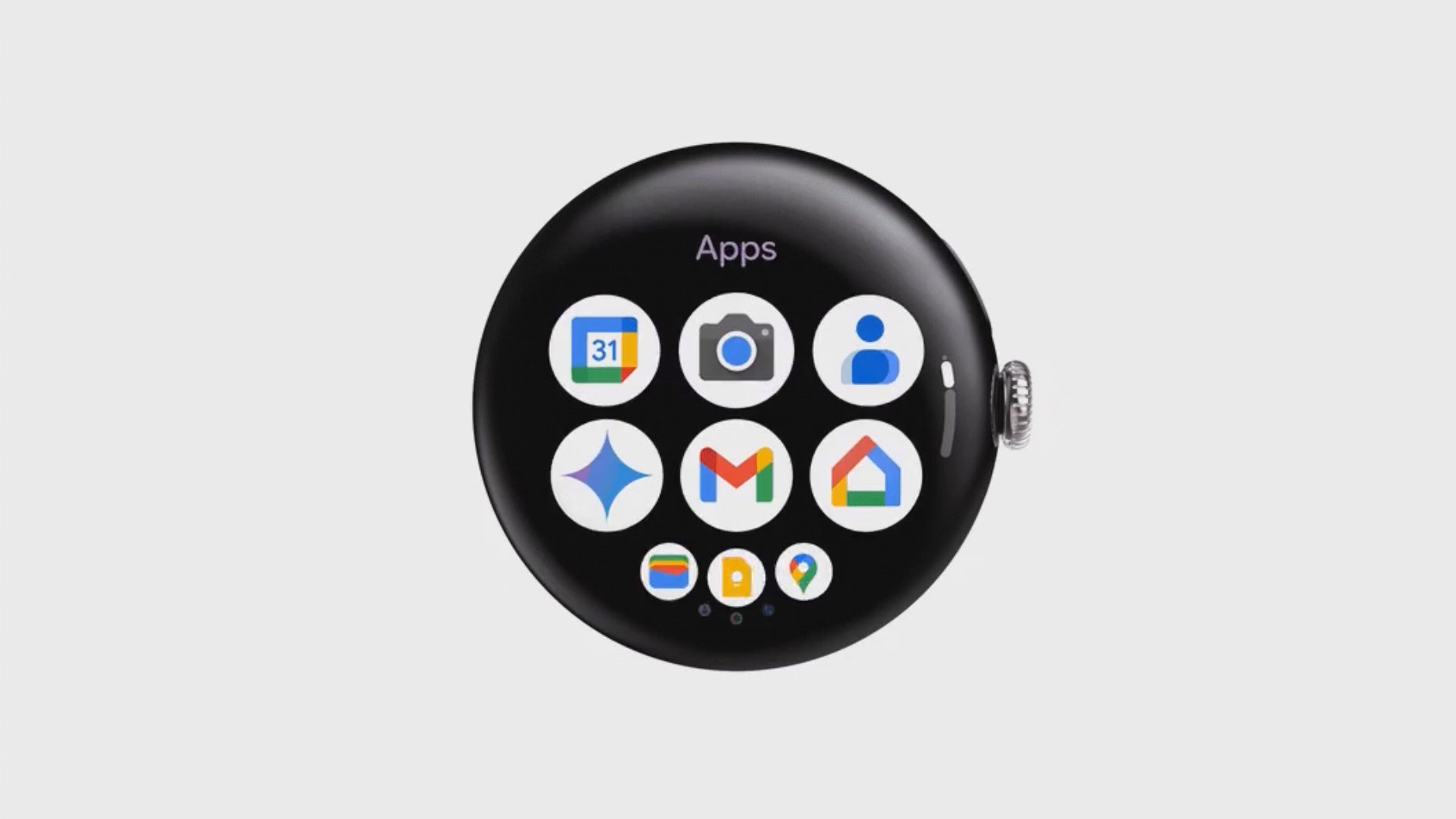
Pixel Watch quietly gets its first taste of Material 3 Expressive

Wear OS 6 app drawer official

Credit: Supplied by Google
  • Google is silently rolling out new Material 3 Expressive design elements to the Pixel Watch.
  • A Reddit user has noticed a new, display-hugging tile layout for the Google Calendar app.
  • The changes seem to be a part of a server-side update.

Although the Wear OS 6 release is still a few months away, Google seems to be quietly rolling out Material 3 Expressive elements to the Pixel Watch. The first signs of the new design are appearing in the Pixel Watch’s Calendar tiles, which now seem to embrace the display-hugging aesthetic Google has promised.

The Power of Immutable Data Storage in Defending Against Ransomware Attacks

In today’s sophistication driven world, ransomware attacks have become one of the most pervasive and damaging forms of cybercrime. These attacks, which involve hackers encrypting a victim’s data and demanding a ransom for its release, can cripple businesses, institutions, and individuals alike. 

According to recent statistics, ransomware attacks are on the rise, with cybercriminals employing more sophisticated techniques to extort victims. In light of this growing threat, businesses are looking for innovative ways to safeguard their critical data.

One solution that is gaining traction is immutable data storage. This technology provides a robust defense against ransomware by ensuring that data cannot be altered, encrypted, or deleted once it’s written. In the event of a ransomware attack, immutable storage acts as a critical line of defense, offering several unique benefits that can significantly reduce the impact of an attack.

What is Immutable Data Storage?

Immutable data storage refers to a data storage system in which information is made permanent and cannot be changed, deleted, or altered once it has been written. This immutability is typically achieved through features like write-once-read-many (WORM) protection or blockchain-based technologies. The idea is simple: data is locked down to prevent malicious actors from tampering with it, even if they gain access to the system.

In the context of ransomware, immutable storage acts as a safeguard against the encryption of critical files. Since attackers typically rely on being able to alter or delete data, immutable storage renders that attack vector useless, as the data remains untouchable.

Key Benefits of Immutable Data Storage in Ransomware Defense

1. Protection from Data Encryption

Ransomware attacks often involve encrypting the victim’s files, making them inaccessible without a decryption key, which is usually provided only after paying a ransom. With immutable data storage, once data is written to the storage medium, it cannot be encrypted or modified. This ensures that, even if attackers manage to infiltrate the system and deploy ransomware, the critical backup data remains unaffected and accessible.

For instance, if a company’s sensitive data and backup files are stored in an immutable format, they cannot be encrypted by ransomware, even if the main systems are compromised. The organization can then restore its data from the unaltered copies, without having to pay the ransom.

2. Data Integrity and Reliability

Immutable storage offers a high level of data integrity, ensuring that the data cannot be tampered with or corrupted. In the aftermath of a ransomware attack, this guarantees that businesses have access to a clean, unmodified version of their files. This reliability is crucial for maintaining business continuity, as it allows for a quicker and smoother recovery process.

For example, many organizations rely on backup systems to recover from cyberattacks, but if backups themselves are compromised or deleted, recovery becomes almost impossible. Immutable storage prevents this from happening, ensuring that backups remain secure and viable for recovery even in the worst-case scenario.

3. Increased Resilience to Insider Threats

While ransomware attacks are often associated with external cybercriminals, insider threats—such as disgruntled employees or compromised accounts—are also a significant risk. In such cases, malicious insiders may attempt to alter, delete, or encrypt critical data.

Immutable data storage, however, blocks any attempt to modify or delete data, even by trusted internal users. The security model ensures that data is always preserved in its original form, thereby mitigating the risks posed by insider threats.

4. Facilitating Regulatory Compliance

Many industries are subject to strict data protection regulations that require businesses to keep secure, unaltered copies of their data for specific periods. This is especially true for sectors like finance, healthcare, and legal services, where data integrity and availability are paramount. Immutable storage helps businesses meet these compliance requirements by ensuring that data is stored securely and cannot be tampered with, offering a clear audit trail in the event of an investigation.

By implementing immutable data storage solutions, organizations can demonstrate that they are following best practices for data security and regulatory compliance, protecting themselves from both legal and financial repercussions.

5. Cost-Effective and Fast Recovery

One of the biggest challenges of a ransomware attack is the cost of downtime and the expense of restoring data. Businesses may spend days or even weeks trying to recover from the attack, especially if they lack a reliable backup system. Immutable storage mitigates these recovery costs by ensuring that backup data remains intact and readily available.

In addition, since immutable storage prevents data modification or deletion, there is no need for costly and time-consuming efforts to verify the integrity of the backup. The data is already safe, reducing both recovery time and financial losses. This enables businesses to return to normal operations faster, minimizing the operational disruption that comes with ransomware attacks.

How Immutable Storage Works

To fully understand the effectiveness of immutable storage, it’s important to know how it operates in practice. There are two main approaches to implementing immutability:

1.Write Once, Read Many (WORM): WORM is a feature that locks down data once it’s written to a storage medium, making it read-only. Any subsequent attempts to modify, delete, or encrypt the data are blocked. Many modern cloud providers offer WORM-enabled storage as a feature in their backup and archival systems.

2.Blockchain Technology: Some organizations are exploring the use of blockchain technology to create immutable records of data. Blockchain provides a decentralized ledger where each block contains a cryptographic record of data that cannot be altered once it is added to the chain. This offers a tamper-proof system for storing important records, which could play a critical role in preventing ransomware attacks.

Conclusion: A Crucial Layer of Defense

As ransomware attacks continue to evolve in sophistication and frequency, businesses must explore every available defense to protect their critical data. Immutable data storage offers a powerful and proactive solution, helping organizations secure their data against modification, encryption, and deletion.

By implementing immutable storage, businesses can ensure that, in the event of a ransomware attack, they still have access to clean, unaltered backups for recovery. In a time when the cost of a successful ransomware attack can be devastating, adopting immutable storage is an investment in both security and peace of mind.

In the fight against cyber threats, immutability provides one of the most effective weapons available.

The post The Power of Immutable Data Storage in Defending Against Ransomware Attacks first appeared on Cybersecurity Insiders.

The post The Power of Immutable Data Storage in Defending Against Ransomware Attacks appeared first on Cybersecurity Insiders.

Google to enhance security with Advanced Protection with Android 16

Google, the global leader in the tech world, is gearing up to roll out a major security update for users upgrading to Android 16 or later. The beta version of this operating system is already running on select Pixel and Galaxy phones, with Motorola expected to join the ranks in the near future.

To entice users to make the switch, Google is introducing a robust new security feature called Advanced Protection, specifically designed to safeguard high-risk individuals such as politicians, journalists, activists, and celebrities from online scams, fraud, and other cyber threats. This new feature goes beyond expectations, providing a formidable defense against sophisticated cyberattacks.

How Advanced Protection Works

One of the standout features of Android 16’s Advanced Protection is its ability to lock down the device’s security settings in such a way that hackers are unable to make any modifications. By locking down the system, it creates an additional layer of defense against various types of malicious activity.

One notable aspect of this new feature is the Intrusion Logging capability. This allows users to secure their device logs in a privacy-protected folder, ensuring that any suspicious activity is captured for forensic analysis. This is especially useful in the event that the user suspects their device may have been compromised.

Securing Calls and Preventing Fraud

Advanced Protection extends its reach to critical areas of daily smartphone usage. For instance, it locks down the system during active calls, preventing users from accessing certain features—such as banking credentials, OTPs, or clicking on suspicious links from messaging apps. This is a direct response to the growing threat of scam calls and fraudulent activities that often occur while people are on the phone. By adding this layer of protection, Google aims to minimize the risk of scams that exploit users during vulnerable moments.

Additionally, the new system will automatically disable features like screen sharing the moment a user logs out or closes their video conferencing application. This will ensure that no unauthorized access can occur while the device is in use for sensitive communications.

Remote Lockdown and More

Another significant feature coming by September 2025 is the option for remote lockdown. This means that users will have the ability to remotely lock down their devices if they suspect their phone has been compromised, further enhancing overall security. This remote lockdown option will give users peace of mind in cases of loss or theft, allowing them to secure their data even if their phone is no longer in their possession.

Available Only for Android 16 and Later Devices

It’s important to note that these advanced security features will only be available to devices running Android 16 or later. Devices running older versions of Android will not benefit from these enhanced protections. This also means that sideloading of apps—downloading apps from third-party sources outside the Google Play Store—will be strictly prohibited. Google Play Protect will be the only supported platform for app downloads, ensuring that only trusted and verified applications make it to your device.

The Case for Long-Term Device Investment

In a time when many smartphone manufacturers, like Samsung and Motorola, are offering up to 4-6 years of operating system upgrades for their devices, investing in high-end smartphones makes more sense than ever before. These long-term OS support policies mean that a device’s value is extended well beyond its initial purchase price, allowing users to enjoy the latest features and security updates for several years. This is especially true for flagship models like the Galaxy S25 series, where the upfront cost is balanced by the longevity of future software updates and security features.

By making the right investment in a device that guarantees long-term support, users can rest assured that their device will stay relevant, secure, and protected for years to come.

The post Google to enhance security with Advanced Protection with Android 16 first appeared on Cybersecurity Insiders.

The post Google to enhance security with Advanced Protection with Android 16 appeared first on Cybersecurity Insiders.

Android 16 QPR1 beta expected to paint the first strokes of Material 3 Expressive

Old vs new Quick Settings panel in Android

Old vs new Quick Settings panel design in Android
Credit: Mishaal Rahman / Android Authority
  • Android 16 QPR1 beta is expected to debut the new Material 3 Expressive design language.
  • The upcoming build is expected to include several new design changes, including the new Quick Settings panel, Clock customization, wallpaper effects, and more.

Google officially unveiled Android’s new design direction — Material 3 Expressive — during The Android Show yesterday. However, the company disappointed by confirming that the redesign won’t arrive with the stable Android 16 release next month.

Android 16 Beta 4.1 drops its latest bugfixes, as development starts closing in on stable

  • Android 16 Beta 4.1 delivers fixes for a handful of extant bugs.
  • Beta 4 itself arrived back on April 17.
  • With plans to hit stable in June, Google doesn’t have long left to finish prepping Android 16.

Earlier today, Google drew the curtain back on Material 3 Expressive, its latest design language revision that’s set to debut later this year following the stable release of Android 16. While we’re understandably a little bummed that we’ll have to wait just a bit longer to go hands-on with all the changes (despite the many early previews we’ve already seen), Google still has something new for us to check out today, as the company shares the latest point release of its Android 16 Beta.

It’s been just about one month since Google published Android 16 Beta 4 for Pixel devices in its testing program. Not only was this our second big Platform Stability release, bringing us that much closer to the day Android 16 stable would would be ready for business, but that was our first chance to try the software out with the new Pixel 9a.

Google Messages missing contact photos? You’re not alone

  • The latest Google Messages update introduced a new bug that’s making contact photos disappear.
  • The issue appears to only affect some beta users and is not widespread.
  • Affected users are still seeing contact photos in the Contacts app, and it briefly shows when tapping a conversation, but then defaults back to the monogram.

If you’re running the beta version of Google Messages, you might have observed something strange. Don’t worry — you’re not going crazy. There appears to be a bug in the latest update that is causing contact photos to not show up in chat threads.

The issue was brought up by Reddit user Typicalg123 in r/GoogleMessages. Though users can still view their contact photos in the Contacts app, it looks like the images only briefly show when you tap a conversation before defaulting back to the original monogram. From the Reddit discussion, another user, u/Jmerse, states that the bug only seems to affect contacts who use an iPhone.

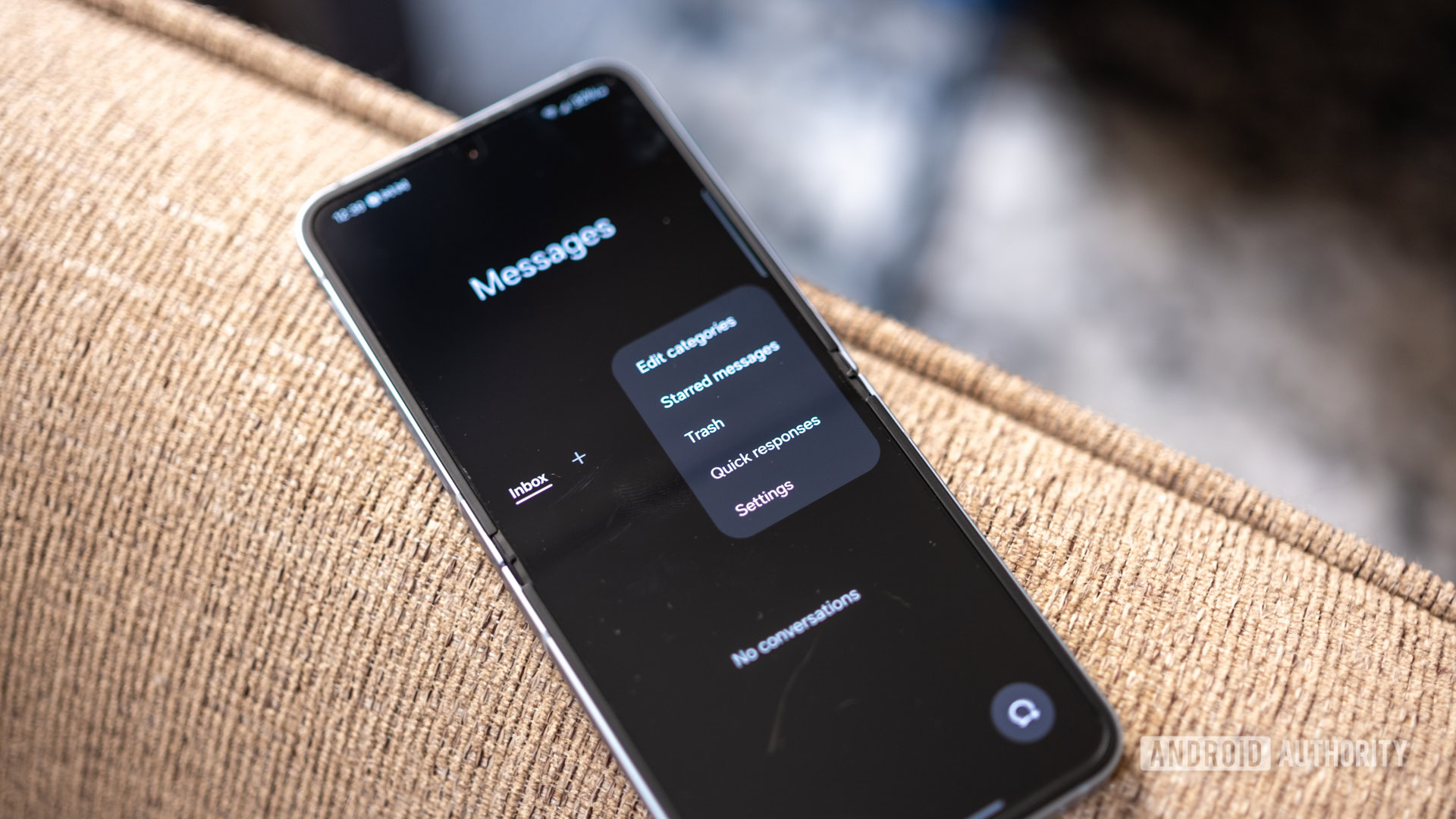
Samsung Messages was going to die — but now, big updates are coming! (APK teardown)

samsung messages trash bin

Credit: Ryan Haines / Android Authority
  • Samsung Messages is getting ready to add a bunch of new features in One UI 8.
  • Samsung had previously announced that it’s sunsetting app, but code evidence indicated it’s only getting more powerful.
  • The app could soon gain live location sharing, birthday reminders, reactions, and more.

Samsung is funny. When the Galaxy S25 series launched, the company repeatedly told users it was sunsetting Samsung Messages. The app was removed from the Google Play Store, with Samsung making it clear that it wanted people to use Google Messages instead. However, instead of fully killing off its messaging app, Samsung has not only kept it alive on the Galaxy Store and allowed existing users to continue using it, but it is also continuously adding new features to make the experience more robust.

I want the YouTube algorithm to stop doing this one annoying thing

YouTube on smartphone stock photo 15

Credit: Edgar Cervantes / Android Authority

Over the years, the YouTube suggestion algorithm has become pretty complex. I’ve noticed that it can extrapolate my tastes very well based on my watch history, continuously tempting me to consume more videos. For example, I recently watched a live clip of The Prodigy at Coachella. My home screen feed then filled up with not only concert clips from other shows by The Prodigy, but also other artists that I enjoy, such as Nine Inch Nails, St. Vincent, Air, and more. Notably, these artists sound nothing like The Prodigy, but the algorithm is smart enough to assume that my tastes will align with them based on my watch history. I’m not going to lie: I had to stop myself from spending all day watching live concert clips.

This is impressive and something Google has probably spent millions of dollars refining, as it keeps people glued to YouTube and fueling the money-printing machine that it’s become. Curiously, while the algorithm is intelligent enough to do that, it is still completely inept at something else: understanding when I search for a video not because I’m deeply interested in the topic, but because I need help doing a specific task. Even now, in 2025, this still seems to throw the algorithm for a loop.

I tested four amazing camera phones to find the best to photograph friends and family

Best Android camera phones 2025

Credit: Robert Triggs / Android Authority

We’re in a golden age for brilliant smartphone cameras, and although you can’t really go wrong with the Google Pixel 9 Pro XL, Samsung Galaxy S25 Ultra, OPPO Find X8 Pro, or Xiaomi 15 Ultra, there’s still plenty to choose between them if you’re looking to take the absolutely best photographs. After looking at the best camera phones for long-range zoom (the Xiaomi 15 Ultra won that, hands down), it’s time to see which of 2025’s powerhouse camera phones is the one to pick for capturing the best-looking pictures of friends and loved ones.

For starters, the serious photographers out there will know that you want somewhere between a 35mm and 70mm lens to capture realistic face shapes for portrait photography. Lower values produce faces that look too narrow, while longer focal lengths “flatten” features, resulting in an overly plump appearance. This appears to lend the Pixel 9 Pro XL as a rather significant disadvantage; it only features a 5x (133mm) periscope lens while the others have dedicated telephoto lenses in the region of 70mm. We’ll have to see if software smarts and brighter lens/sensor combinations can make up the gap.

Can you tell if a photo is from a $1,300 flagship or a $280 budget phone?

Samsung Galaxy S25 Ultra vs CMF Phone 2 Pro (1 of 1)

Credit: C. Scott Brown / Android Authority

With every passing year, the cameras on a smartphone become almost as important as the smartphone itself. People know that pretty much any phone can do the “phone” things they need, but not just any device can be the best camera phone on the market. As such, in the vast majority of cases, the reason you’re paying a certain price for a phone is heavily influenced by the camera hardware you’ll find there.

But really, how far does this go? Is a phone that costs $1,300 really so much better than one that costs less than $300? Is there a $1,000+ difference between the photos you’ll get on one versus the other?

-- Get the right stuff from a partner you trust. --

Partners

-- IT NEWS --

Blog

admin December 11th, 2025

Credit: Edgar Cervantes / Android Authority TL;DR Spotify is getting a new “Prompted Playlist” feature to help users create more […]

admin December 11th, 2025

TL;DR Four of the best Good Lock modules aren’t working properly on the One UI 8.5 beta. Home Up and […]

admin December 10th, 2025

This is an open thread. We want to hear from you! Share your thoughts in the comments and vote in […]