
Should you buy the Motorola Moto G 5G (2024)?

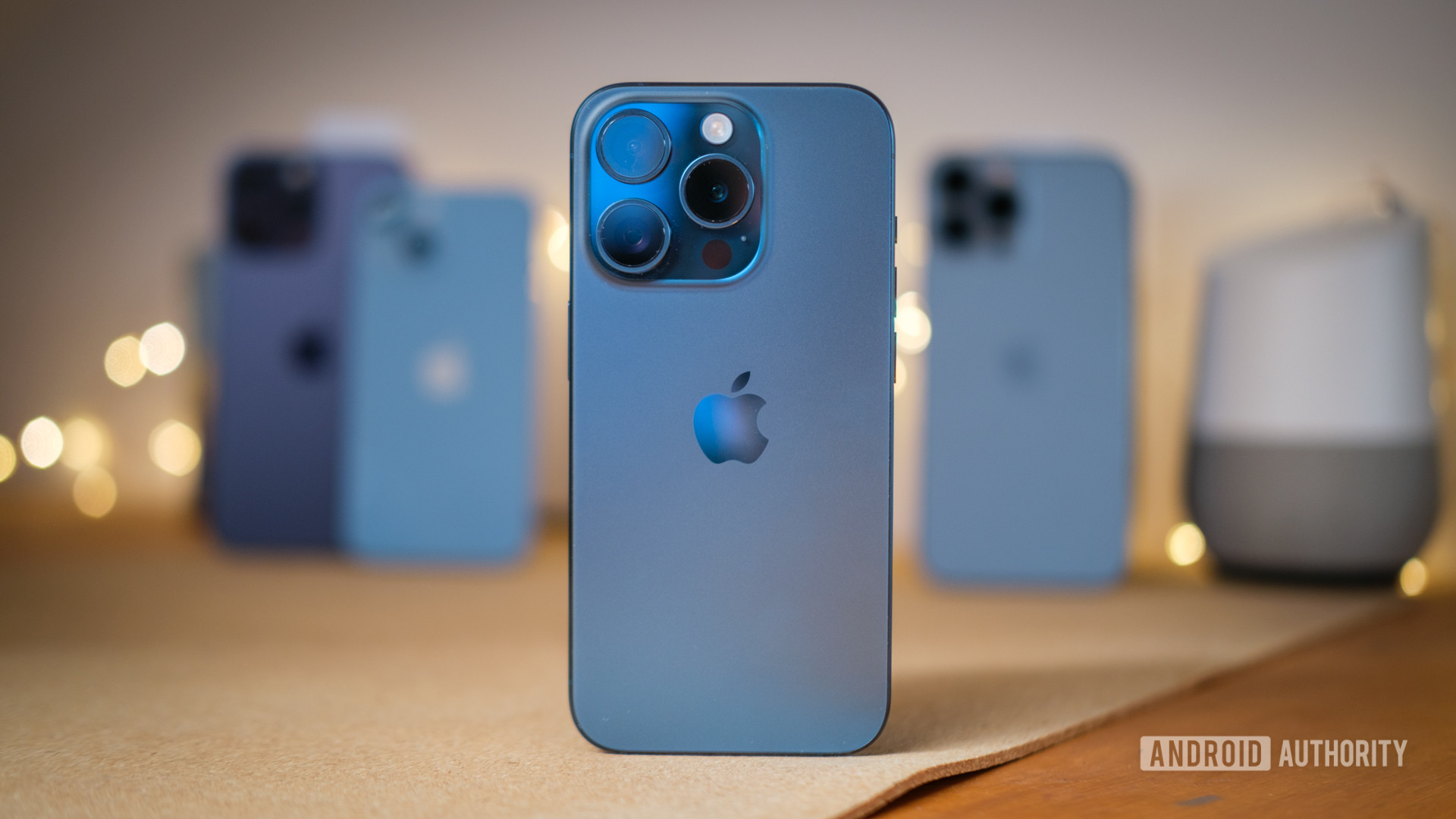
Apple’s iPhone 15 series came out in September 2023. Now that the hype for those has died down, we’re moving on to the 2024 models — and there are already plenty of iPhone 16 rumors and leaks going around.
Apple made some significant changes to the 2023 iPhone lineup, including the addition of USB-C, the mute-switch-replacing Action Button, Titanium bodies instead of Stainless Steel on the Pro iPhones, Dynamic Island on the non-Pro iPhones, a periscope camera for the Pro Max model, and more. If you’ve been following Apple long enough, you’d know that most of these new features from the iPhone 15 series would most certainly be coming to iPhone 16 models. Additionally, what’s exclusive to the 2023 Pros would likely trickle down to the non-Pro variants this year. Keeping all that in mind, here’s what you can expect from the iPhone 16 lineup in 2024.
When the iPhone 15 series launched, there were a lot of complaints from buyers about excessive heat. Apple, of course, downplayed the problem but eventually said it would improve thermals through software updates. However, there are still plenty of complaints online from people who feel their iPhone 15 gets a little too toasty.
Thankfully, it appears Apple has taken this problem seriously and is determined not to have a repeat with the iPhone 16 series, due to land this fall. According to a new leak from Majin Bu on X (formerly Twitter), we see what could possibly be the iPhone 16 battery.

Samsung might be a South Korean company, but it has manufacturing facilities, office buildings, and more infrastructure all over the world. One place where it has developed a sizable presence is Texas. In the Lone Star State, Samsung has invested over $40 billion in creating a manufacturing plant — the largest-ever foreign investment in Texas’ history.
On June 7, Samsung, Texas Governor Greg Abbott, and the Texas Department of Transportation (TxDOT) officially opened “Samsung Highway,” a stretch of road that connects the manufacturing buildings with the surrounding areas (h/t SamMobile). This will better allow employees, contractors, and officials to get to and from Samsung’s buildings daily.

We’re only about a month out from Samsung’s next Unpacked event, yet there have been more than enough leaks to start making some predictions. For example, we could see the company’s new foldables, smart ring, and more. A new leak, however, may narrow down what we should expect to see in July.
Trustworthy leaker Evan Blass has released a collection of images that are meant to reveal the announcements Samsung plans to make at Unpacked. The images in question are scrambled, but they’re just clear enough to make out what devices are contained in the renders.

Samsung introduced Instant Slo-Mo to the Galaxy S24 as one of its many generative AI features. It allows you to instantly slow down any video you’re watching from the gallery by pressing and holding down on the video. Now this feature is about to get support for HDR10+.
Instant Slo-Mo works by using generative AI to create new frames in a video, which are then inserted between the real frames. The result is an artificially extended video with a slow-motion effect applied.

In a curious development, the 8K branding has gone missing from the PlayStation 5’s packaging. Initially spotted by John Linneman, the updated PS5 packaging now only highlights 4K/120 fps and HDR capabilities, omitting any mention of 8K output.
The exact timing of this packaging update remains uncertain. Notably, when Sony released the PS5 Slim model last November, the boxes still featured the 8K branding. A quick look around online reveals that most PS5 Slim (
) listings now reflect the new packaging, although I could still find older 8K-labeled boxes on Best Buy. Interestingly, none of the boxes displayed on Sony’s PlayStation Direct store mention 8K anymore.

Next week, Apple will hold its Worldwide Developers Conference (WWDC). Apple is expected to use this year’s event to showcase all the AI projects it has been working on. Along with its AI announcements, we could also get an announcement for a new app for managing passwords.
According to Bloomberg, Apple plans to unveil an app called Passwords on June 10 at WWDC. This app can generate and keep track of passwords, support verification codes, and act as an authentication app just like Google Authenticator.

The easiest way to spruce up your phone’s looks is to change the wallpaper. It takes very little effort, but finding the right background image can be a time-consuming task. The science fiction fans among us will probably want an appropriately themed picture, and we have assembled a collection of awesome sci-fi wallpapers for your phone.
Let’s get started by telling you how our wallpaper posts work. Your first thought might be to download the images you see below, but we would advise against this. These have been compressed and optimized for improved website performance, which means image quality will take a hit. Consider these image previews. You can go through them and see which your favorite sci-fi wallpapers are. When you make your mind up, click on the button below these previews to download the full-resolution sci-fi wallpapers.
In an increasingly digital world, where concerns about online data security are rampant, it’s easy to overlook the vulnerabilities that exist offline. While much attention is rightfully directed towards protecting data in the virtual space, offline data theft remains a significant threat that can be just as insidious and damaging. Understanding how data steal occurs offline is essential for safeguarding personal and sensitive information comprehensively.
1. Physical Theft and Tampering: One of the most straightforward methods of offline data theft is physical theft or tampering with devices that store personal data. This includes stealing laptops, smartphones, external hard drives, or even paper documents containing sensitive information. Once in the wrong hands, this data can be exploited for various malicious purposes, including identity theft and financial fraud.
2. Interception of Postal Mail: Traditional mail, despite its diminishing relevance in the digital age, still poses a risk for data theft. Intercepting postal mail containing sensitive documents, such as bank statements, invoices, or official correspondence, provides attackers with valuable personal information. This information can be used to perpetrate identity theft or gain unauthorized access to financial accounts.
3. Skimming and Eavesdropping: Skimming devices installed on ATMs, point-of-sale terminals, or even gas pumps can capture credit card information when users swipe their cards. Similarly, eavesdropping on conversations in public places, such as cafes or public transportation, can yield valuable information, such as passwords or account details, which can then be exploited by attackers.
4. Dumpster Diving: Despite its rudimentary nature, dumpster diving remains a viable method for harvesting sensitive information. Discarded documents, such as bank statements, invoices, or discarded electronic devices, can contain a treasure trove of personal data. Attackers sift through trash bins or dumpsters in search of such discarded items to exploit for their gain.
5. Social Engineering and Impersonation: Offline data theft can also occur through social engineering tactics, where attackers manipulate individuals into divulging sensitive information. This can involve impersonating authority figures, such as government officials or company representatives, to gain access to confidential information or tricking individuals into revealing passwords or account details over the phone.
6.Insider Threats: Employees or individuals with authorized access to sensitive data can also pose a significant threat to data security offline. Whether through negligence, malicious intent, or coercion, insiders can leak or misuse sensitive information, compromising data security from within an organization.
Protecting Against Offline Data Theft:
1. Secure Physical Storage: Store physical devices containing sensitive information in secure locations, such as safes or locked cabinets, when not in use. Encrypt data stored on devices to prevent unauthorized access in case of theft or loss.
2. Monitor Postal Mail: Be vigilant for signs of tampering or interception of postal mail. Consider using secure mail services or electronic delivery for sensitive documents whenever possible.
3. Be Cautious in Public Spaces: Exercise caution when handling sensitive information in public spaces. Shield PINs when entering them on ATMs or point-of-sale terminals, and avoid discussing confidential matters in public where conversations could be overheard.
4. Shared Documents: Dispose of documents containing sensitive information securely by shredding them before discarding. This prevents attackers from reconstructing discard-ed documents and extracting valuable data.
5. Educate Against Social Engineering: Raise awareness among individuals about the risks of social engineering tactics and the importance of verifying the identity of individuals requesting sensitive information, especially over the phone or via email.
6.Implement Insider Threat Mitigation: Implement measures to monitor and mitigate insider threats, including employee training, access controls, and regular audits of access to sensitive data.
In conclusion, while the digital landscape presents numerous challenges for data security, offline data theft remains a prevalent and often overlooked threat. By understanding the various methods through which offline data theft occurs and implementing appropriate safeguards, individuals and organizations can better protect themselves against this insidious form of data breach.
The post Unveiling the Mechanics of Offline Data Theft: How Your Information Can Be Compromised Beyond the Digital Realm appeared first on Cybersecurity Insiders.
TikTok, the video-sharing platform that previously faced bans in the United States over data privacy concerns, encountered a cyber attack on a recent note. However, according to the company, the impact was minimal, primarily affecting a few brands and celebrities.
As a subsidiary of the Chinese company ByteDance, TikTok is actively working to mitigate risks and has made significant progress in recovering from the cyber incident.
Interestingly, the attack coincided with the former US President Donald Trump’s decision to join TikTok to communicate with his followers. Trump, who previously banned the platform in 2018 citing national security concerns, stated his intention to connect with supporters across various social media networks.
Regarding the attack, TikTok revealed that hackers targeted celebrities such as Paris Hilton, who have substantial followings. Fortunately, no data was compromised, as the platform’s authentication servers promptly detected and prevented any unauthorized access.
Notably, prominent figures like President Joe Biden and 3rd time consecutively elected Indian Prime Minister Narendra Modi also maintain TikTok accounts with significant followings.
Additionally, CNN fell victim to the attack when its TikTok account was compromised. However, the cyber criminals failed to access any data due to the platform’s robust security measures.
In today’s digital age, many individuals, particularly young women aged 13-43, utilize social media platforms to showcase their talents and skills. However, it’s essential to exercise responsible behavior and adhere to security protocols given the evolving cyber threat landscape.
The post TikTok faces cyber attack but only few celebrities and brands impacted appeared first on Cybersecurity Insiders.

The ASUS ROG Ally X is one of the most high-profile devices launched at Computex here in Taipei, but it turns out this isn’t the only gaming handheld on offer.

Google Maps is one of the best Android apps, and we don’t even need to recommend installing it since it comes preinstalled on most Android phones anyway. It’s an amazing app for navigation and exploration, and it also works very well with Android Auto (most of the time). If you’re finding that Google Maps has recently been continuously crashing Android Auto, the latest Maps beta update is likely the culprit.
As Reddit user japzone points out, the latest Google Maps beta (possibly v11.132.0100 beta, from what I can tell) doesn’t work with Android Auto. Starting Android Auto causes the Google Maps app to crash, and you get thrown back to the Android Auto app list. Selecting Google Maps here will cause you to crash back again to the app list.
The Redditor points out that Google Maps works on the phone while Android Auto is running, but trying to have Maps interact with or interface with Android Auto causes an app crash. For instance, voice commands through Android Auto will cause Google Maps to crash. The user worked around the crash by listening to Maps’ audio alert through their car while interacting with YouTube Music through Android Auto.
We’ve reached out to Google for a comment on these app crashes. We’ll update this article if and when we hear back from them.
The fix is fairly simple: get off the Google Maps beta. While the Google Maps beta branch has been fairly reliable, a beta release, by its very definition, can contain bugs. Many users have jumped to the beta branch for Google Maps to get access to new features before their release in the stable branch, but doing so comes with the risks of such bugs and crashes from time to time.
You likely opted for the beta program through the Play Store. To apply the fix, you will need to leave the beta program from the Play Store (to avoid receiving the same beta update again).
You don’t need to follow this step if you installed the Google Maps beta through an external APK.
Once you have opted out of the beta program, you need to uninstall updates for Google Maps. Since Google Maps is a GMS app, you won’t be able to uninstall it completely, making it easier to uninstall updates and keep your data (such as offline maps). However, we would still advise you to take note of your offline maps and double-check their presence after this process.
Uninstalling updates will revert Google Maps to the default version that shipped with your phone, removing the beta. You can then update Google Maps back to the latest stable release. This should hopefully fix your Android Auto-related crashes.

Google has been investing heavily in Gemini, its AI-powered chatbot, to compete better against ChatGPT. Google is trying its best to integrate other apps and services that people use with its AI chatbot through Gemini Extensions (formerly known as Bard Extensions). The company recently announced the YouTube Music extension, allowing Gemini to find, play, and control music from YouTube Music. Google could soon extend the functionality to Spotify too.
We’ve spotted strings within the Google app v15.22.29.29.arm64 that indicate that Google is working on a Spotify extension for YouTube Music.
Watching a movie or TV show on most Android phones delivers a far less immersive audio experience than most cinemas. That’s because most mobile devices don’t have enough speakers arranged in the right locations to deliver a true surround sound experience. The same goes for most headphones and wireless earbuds, too. Fortunately, there’s a trick that can be used to create a more immersive listening experience when using compatible audio products like the Pixel Buds Pro. It’s called spatial audio, and it’s set to get even better in the upcoming Android 15 update.
Although the audio in many movies and TV shows is recorded with multiple channels, only two stereo channels (left and right) are played back with most headphones and wireless earbuds. This is why most audio from your phone sounds like it’s coming from right in front of you. To make the audio from your phone sound like it’s coming from all around you, your phone would normally need to have multiple speakers surrounding you, which is physically impossible. This is where spatial audio comes in.







Credit: Edgar Cervantes / Android Authority TL;DR Spotify is getting a new “Prompted Playlist” feature to help users create more […]
TL;DR Four of the best Good Lock modules aren’t working properly on the One UI 8.5 beta. Home Up and […]

This is an open thread. We want to hear from you! Share your thoughts in the comments and vote in […]