Fairphone 6 wishlist: All the features I want to see

The Fairphone 5 represented a major step forward for the sustainable phone company. While it improved upon many of its predecessor’s shortcomings, it was far from perfect. Not only were there battery life and heat dissipation concerns, but there were also a few other areas where it fell short as an Android phone. Although its successor is still a long way off, here’s my wishlist for what I’d like to see in the Fairphone 6.

Better thermals are a must

Fairphone 5 23

YouTube Music will now let you download music on its desktop website

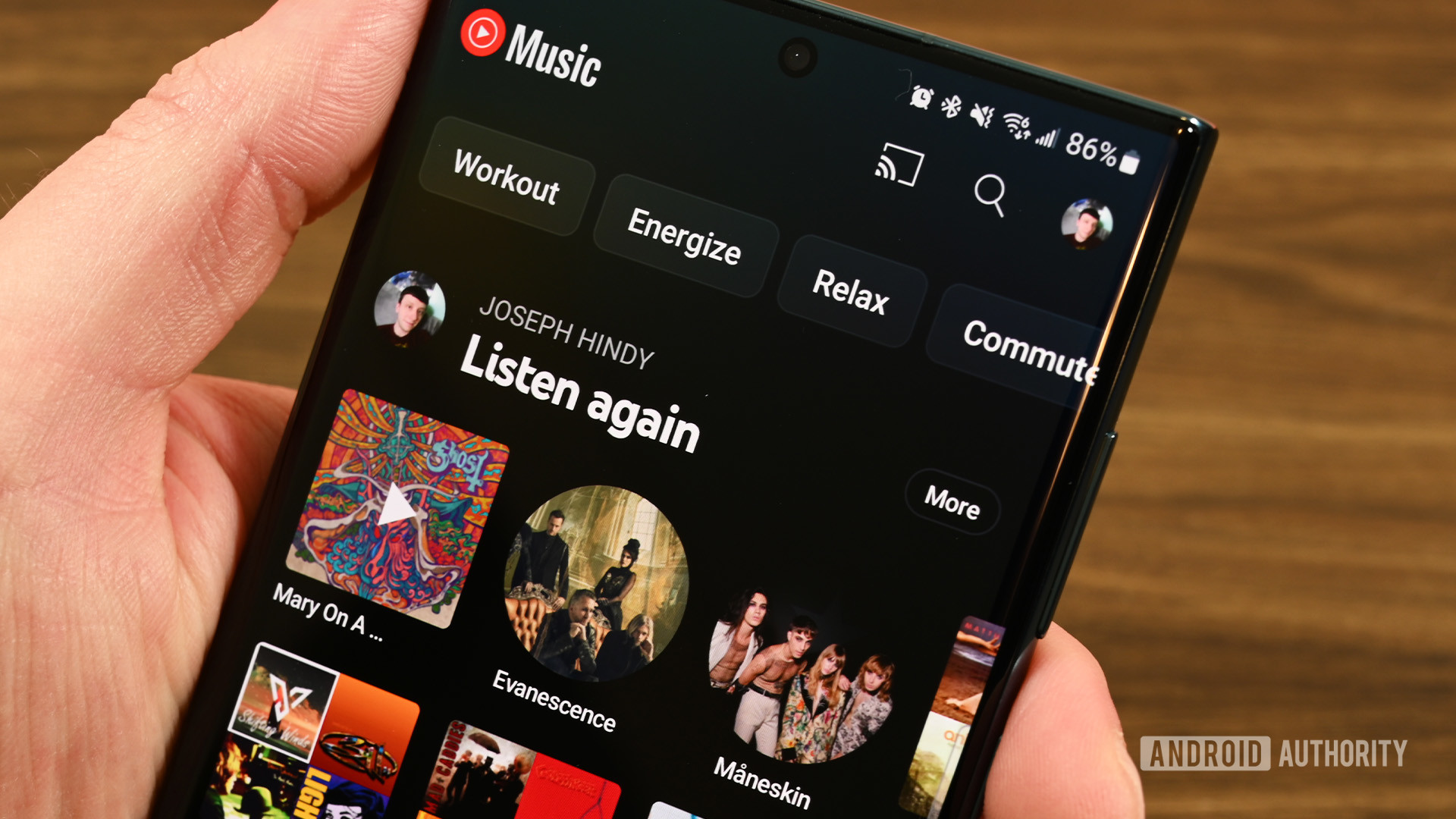
YouTube Music Home

Credit: Joe Hindy / Android Authority
  • YouTube Music now lets you download songs and podcasts for offline listening within its web app.
  • This feature brings the web version in line with the mobile app, offering greater convenience for users.

YouTube Music, Google’s dedicated music streaming service, is making offline listening more accessible with the rollout of offline downloads for its web app. This welcome feature brings the website in line with its mobile app counterpart, allowing users to save songs and playlists for enjoyment even without an internet connection (h/t 9to5Google).

YouTube has been testing this feature out for a while now, but it seems to have gained wider availability as of March 29th. While the feature isn’t showing for everyone yet, some users are being greeted with a “New! Download music to listen offline” message beside their Library tab.

Android 15 could revamp the volume panel and make it collapsible

  • Android 15 is preparing a big redesign of the volume panel that also makes it collapsible.
  • Android’s volume panel lets you change the media, call, ringer, notification, and alarm volume.
  • The volume panel’s UI is a few years old and doesn’t follow the latest Material Design guidelines.

Back in 2021, Google released Material You, a major revamp to the company’s design language. Material You design elements were first incorporated into that year’s Android 12 release. Although Android’s current design hasn’t changed drastically since then, it has received minor tweaks in the few releases since. In the upcoming Android 15 release, Google is finally planning to revamp the system volume panel UI.

The volume panel appears when the user presses a volume key and then taps the three-dot menu at the bottom. The current design features five different sliders for each volume stream. From top to bottom, these include media, call, ring, notification, and alarm volume controls. A thin slider controls the level of each. Apart from the panel’s header, stream icons, and sliders, there are also buttons to open Android’s sound and vibration settings and dismiss the panel. Finally, if there’s any active media playback, a shortcut to open Android’s media output switcher will appear underneath the media volume slider.

5.5G networks are here, and so are the first Android phones to support it

Oppo Find X7 Ultra vs iPhone 15 Pro Max vs Galaxy S23 Ultra

Credit: Robert Triggs / Android Authority
  • China’s state-owned telecom provider, China Mobile, announced the launch of its 5.5G network.
  • 5.5G (or 5G Advanced) networks offer improved data speeds over the current 5G networks.
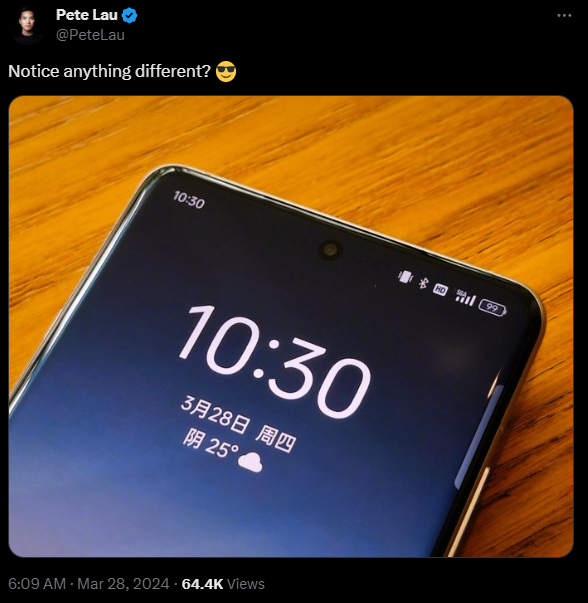
  • OPPO’s 2024 flagship Find X7 series phones are reportedly the first ones to support 5GA networks.

Even as we wait for widespread, reliable 5G connectivity, China is leaping forward with the next generation of wireless technology. Today, China Mobile announced the commercial launch of its 5.5G (also called 5G-Advanced or 5GA) network. And it seems we might already have the first Android phones ready to take advantage of it.

Pete Lau' tweet showing Find X7 Ultra with 5GA connectivity

These older Galaxy Watches are getting a new update for more accurate health tracking

Samsung Galaxy Watch 5 sizes 40 and 44mm

Credit: Robert Triggs / Android Authority
  • Samsung is pushing out the March 2024 security patch to Galaxy Watch 4 and Watch 5 models.
  • The new update also addresses previous issues with Samsung Health’s accuracy.

Samsung has begun rolling out a new software update for its Galaxy Watch 4 and Galaxy Watch 5 family smartwatches. This update includes the March security patch and a few bug fixes.

First reported by Droid-Life, Samsung’s changelog for the update highlights the improvements made to Samsung Health’s accuracy and the addressal of previously reported issues with it.

A new Sony phone hits FCC, could launch soon


  • A Sony phone showed up on the FCC website, hinting at a possible upcoming launch.
  • The phone (model PY7-75946U) might be LTE only, likely not the Xperia 5 V many have been waiting for.

Sony smartphones may not always be at the top of the best Android phone charts, but they represent the last stand of true enthusiast phones. For those like us who hope for more Sony phones, a recent FCC listing might be cause for optimism.

Breaking: One UI 6.1 update arrives for older Galaxy phones in the US

Samsung Galaxy S23 Ultra Box How to find Samsung phone model

Credit: Aamir Siddiqui / Android Authority
  • Samsung has started rolling out the One UI 6.1 update to older Galaxy flagships.
  • The update brings Galaxy AI features to the phones.
  • It is now available in the US. Other regions should also get it soon.

True to its promise, Samsung has started rolling out the One UI 6.1 update in the US. The highly anticipated update comes bearing Galaxy AI features for older Samsung Galaxy phones.

Securing Mobile Application Development: 9 Best Practices for Data Security

In today’s interconnected world, mobile applications play a pivotal role in our daily lives, facilitating everything from communication and entertainment to productivity and commerce. However, with the proliferation of mobile apps comes the heightened risk of data breaches and security vulnerabilities. Ensuring robust data security measures throughout the mobile application development process is essential to protect sensitive user information and maintain trust.

1. Threat Landscape Awareness: Developers must stay informed about the evolving threat landscape surrounding mobile applications. Understanding common attack vectors, such as man-in-the-middle attacks, SQL injection, and insecure data storage, enables developers to preemptively implement appropriate security measures.

2. Secure Coding Practices: Adopting secure coding practices is paramount in mitigating vulnerabilities. Developers should adhere to established security guidelines, such as those outlined by OWASP (Open Web Application Security Project), to prevent common pitfalls like buffer overflows, input validation errors, and authentication weakness-es.

3. Data Encryption: Implementing strong encryption mechanisms for data at rest and in transit is fundamental to safeguarding sensitive information. Utilizing industry-standard encryption algorithms, such as AES (Advanced Encryption Standard), ensures that data remains unintelligible to unauthorized parties even if intercepted.

4. Authentication and Authorization: Robust authentication mechanisms, including biometric authentication, multi-factor authentication, and OAuth, bolster access control and prevent unauthorized access to user accounts and sensitive data. Additionally, implementing fine-grained authorization policies ensures that users only access the data and features pertinent to their roles.

5. Secure Data Storage: Mobile devices are prone to loss or theft, necessitating secure data storage practices. Employing encrypted databases, secure key management solutions, and data obfuscation techniques mitigates the risk of data exposure in the event of de-vice compromise.

6. Secure Network Communication: Mobile applications often interact with remote servers and APIs, exposing them to potential interception and manipulation. Implementing secure communication protocols such as HTTPS (Hypertext Transfer Protocol Secure) with TLS (Transport Layer Security) ensures the confidentiality, integrity, and authenticity of data exchanged between the client and server.

7. Regular Security Assessments: Conducting comprehensive security assessments, including penetration testing and code reviews, helps identify and remediate security vulnerabilities throughout the development lifecycle. Continuous monitoring and proactive threat hunting further fortify the application’s resilience against emerging threats.

8. User Education and Awareness: Educating users about security best practices, such as enabling device encryption, using strong passwords, and exercising caution with third-party app permissions, fosters a security-conscious mindset and mitigates the risk of social engineering attacks.

9. Compliance with Regulations: Adhering to regulatory requirements, such as GDPR (General Data Protection Regulation) and CCPA (California Consumer Privacy Act), ensures that mobile applications handle user data responsibly and transparently. Compliance frameworks provide guidelines for data collection, storage, processing, and dis-closure, safeguarding user privacy and trust.

In conclusion, prioritizing data security in mobile application development is imperative to protect user privacy, mitigate financial and reputational risks, and comply with regulatory mandates. By implementing a comprehensive security strategy encompassing secure coding practices, encryption, authentication, secure storage, and ongoing assessments, developers can fortify their mobile applications against evolving threats and safeguard sensitive data in an increasingly interconnected digital ecosystem.

The post Securing Mobile Application Development: 9 Best Practices for Data Security appeared first on Cybersecurity Insiders.

Agenda Ransomware Targeting VMware and 17k Microsoft Exchange servers vulnerable to cyber attacks

Agenda Ransomware targets VMware servers

A recent emergence in the cyber threat landscape has revealed the presence of a new variant of ransomware known as Agenda Ransomware, which has swiftly made its mark by targeting VMware ESXi servers worldwide. This variant, suspected to be a recent addition to the malware arsenal, has been active since 2022, causing concerns among cybersecurity experts.

Previously recognized under monikers such as Qilin or Water Galura, this particular strain of file-encrypting malware has primarily set its sights on servers operating within critical sectors like manufacturing, healthcare, and education. The impact has been felt notably in countries such as Canada, Argentina, the United States, Australia, Columbia, Indonesia, and India.

Findings from a study conducted by Trend Micro shed light on the modus operandi of this malicious software. It exploits Remote Monitoring and Management Tools like Cobalt Strike to infiltrate target systems. Once inside, it meticulously analyzes the infected device before deploying its ransomware payload, particularly focusing on VMware vCenter and ESXi servers.

Security analysts emphasize the critical importance for organizations to remain vigilant in the face of such threats. Key measures include closely monitoring administrative privileges, maintaining up-to-date software patches, conducting regular system scans, and educating employees about emerging cybersecurity risks. Additionally, maintaining secure backup data and implementing proactive measures against social engineering attacks are strongly advised.

It’s imperative to dispel the misconception that malware attacks are confined solely to Windows environments. The reality is that virtual and Linux environments are equally susceptible, as evidenced by the activities of Agenda Ransomware.

Over 17,000 Microsoft Exchange Servers in Germany are vulnerable to Cyber Attacks

According to a statement released by German Federal Office for Information Security (BSI) over 12% of approximately 45,000 Microsoft Exchange Servers are deemed vulnerable to cyber attacks. The BSI has sounded the alarm, attributing this vulnerability to the use of outdated software and hardware lacking support for the past 8-10 years.

The root cause of this vulnerability trend lies in the absence of software security updates for these servers, many of which are nearing obsolescence. While the responsibility lies with software companies to issue security patches, the onus also falls on individuals and organizations to deploy these updates within their environments. While auto-updates offer a convenient solution, some administrators opt for manual updating procedures due to security concerns.

The post Agenda Ransomware Targeting VMware and 17k Microsoft Exchange servers vulnerable to cyber attacks appeared first on Cybersecurity Insiders.
Gemini AI can apparently co-exist with Google Assistant on the Pixel Tablet

google pixel tablet assistant play music 1

Credit: Rita El Khoury / Android Authority
  • Google is bringing its Gemini AI Android tablets.
  • A news outlet managed to activate the AI on the Pixel Tablet.
  • Apparently, Gemini can co-exist with Google Assistant on Google’s slate.

Google seems to be getting ready to bring its Gemini to Android tablets. The AI is only available on Android phones right now. When installed, users have to choose between using Gemini or the Google Assistant on their device. This restriction might not apply to tablets, though.

It’s official: Here’s when Galaxy AI features will roll out to Samsung phones

  • Galaxy AI features, originally exclusive to the S24 line, are coming to select older devices starting March 28th.
  • Features like Circle to Search, Live Translate, and Generative Edit are coming along with the One UI 6.1 update.

Samsung is making its Galaxy AI features more widely available, bringing on-device intelligence to a broader range of users. Previously exclusive to the Galaxy S24 series, these AI-powered tools will be available on select older Samsung devices starting March 28 through the One UI 6.1 software update.

The Galaxy S24 series marked the debut of Galaxy AI, a suite of tools designed to enhance user experience through baked-in intelligent AI features. One of the most popular features among those is the Circle to Search feature, which allows you to Google search for information about anything on your screen by simply drawing a circle around it.

Google Messages will now issue warnings if you log out or switch accounts

Google Messages SMS stock photo 1

Credit: Edgar Cervantes / Android Authority
  • Google Messages will now warn you about the features you’ll lose if you log out from or switch your Google account.
  • Features like Magic Compose and Device Pairing are listed as account-dependent functions on the new logout screen.
  • Users can also disable profile discovery for their phone numbers if they choose to use Messages without a Google account.

Google Messages is now rolling out a new logout screen to beta users who sign out of the app or switch their Google accounts while using the app.

Motorola Edge Plus (2024) rumors: Everything we know and want to see

After years of mediocrity, the Lenovo-owned Motorola brand is currently in the midst of a resurgence. Both the Razr Plus and the Motorola Edge Plus (2023) received highly positive reviews here at Android Authority and from consumers at large. This is especially encouraging for those in the US, where we have a limited selection of compelling options outside of Apple, Samsung, Google, and OnePlus. With the Motorola Edge Plus (2024) on the way, here’s everything we know about the upcoming handset.

Will there be a Motorola Edge Plus (2024)?

motorola edge plus 2023 selfie camera and buttons

First chance to pick up the Meta Quest 2 for just $199

The weekend may have made you realize you need to expand your gaming options. Or even your fitness options. Either way, the Meta Quest 2 is a solution. And, thanks to the fact the Amazon Big Spring Sale still has a day to run, you can get it for an all-time low price right now of just $199. That’s $100 off retail and less than half the price of the Meta Quest 3.

Meta Quest 2 for $199 ($100 off)

5 months later, I still hate the Pixel’s hidden brightness and shadows sliders

google pixel 8 pro camera manual controls 2

Credit: Rita El Khoury / Android Authority

Opinion post by
Rita El Khoury

It’s been a little over five months since I first got my hands on the Google Pixel 8 Pro and shot my first photo with it. At the time, I immediately noticed one infuriating change in the Google Camera‘s interface that put the brightness, shadows, and temperature sliders behind the settings/adjustments button instead of keeping them available at all times on the screen.

And, as you can surmise from the title of this article, I still hate that change five months in. I thought I’d get used to it and start tapping the settings button more often, but really, no. That’s not what happened.

-- Get the right stuff from a partner you trust. --

Partners

-- IT NEWS --

Blog

admin December 11th, 2025

Credit: Edgar Cervantes / Android Authority TL;DR Spotify is getting a new “Prompted Playlist” feature to help users create more […]

admin December 11th, 2025

TL;DR Four of the best Good Lock modules aren’t working properly on the One UI 8.5 beta. Home Up and […]

admin December 10th, 2025

This is an open thread. We want to hear from you! Share your thoughts in the comments and vote in […]